When you click on links to various merchants on this site and make a purchase, this can result in this site earning a commission. Affiliate programs and affiliations include, but are not limited to, the eBay Partner Network.
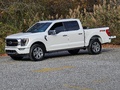
I took my truck in for the heat shield recall on Monday and today picked him up. The advisor said the tech was scratching his head, but after a bit of time or should say days they got my software up to date as far as I can tell. Here is before and after.
I took my truck in for the heat shield recall on Monday and today picked him up. The advisor said the tech was scratching his head, but after a bit of time or should say days they got my software up to date as far as I can tell. Here is before and after.
Do your cameras now continue to work at speed or still only below 6mph with this update?
Do your cameras now continue to work at speed or still only below 6mph with this update?
I will have to look, but I did the forscan changes to enable the cameras in motion prior. I do know I tried the bedview on the side screen when I left today because I was curious if it changed my forscan changes and that view still shows blank.
Would it be possible to get an update status for 1FTFW1E81MFA21150? I have had a lot of problems electronically since the last update.
- interior lights don’t come on when doors open
- pre-sets won’t save on radio or seating
- auto stop/start quit working
- large display randomly goes black
- when starting, screen says “converting to english”
and more.
Thank you!
Have you done a battery voltage test. It sounds to me like you have a bad battery. The AGM batteries in our trucks are not a good design in my opinion. Our trucks need at least 12.5 volts all throughout the manual update process. You MUST connect a power supply battery charger while doing updates. From my experience even just doing a FDRS network scan without a battery supply on the truck puts a real hurting on the battery voltage. All the symptoms you're describing are the exact signs of a bad battery. You should have a load test performed on the battery. Have you recently done manual updates yourself or had the truck at the dealership for any kind of updates since this problem started?
It looks like the FDRS test program had a mix of effects on my truck. Just logging.
Wifi hotspot is once again registering with the FordPass App.
Truck has started entering deep sleep mode within minutes of shutting off engine. I've made zero changes to my usual usage.
Remote start from the remote failed. Deep sleep makes app start impossible.
Unable to modify software update app on infotainment.
Hey there! If you'd like to, go ahead and send us a private message with your VIN and the name and location of your Ford dealer. I’d like to look into this deep sleep concern for you. Thanks!