When you click on links to various merchants on this site and make a purchase, this can result in this site earning a commission. Affiliate programs and affiliations include, but are not limited to, the eBay Partner Network.
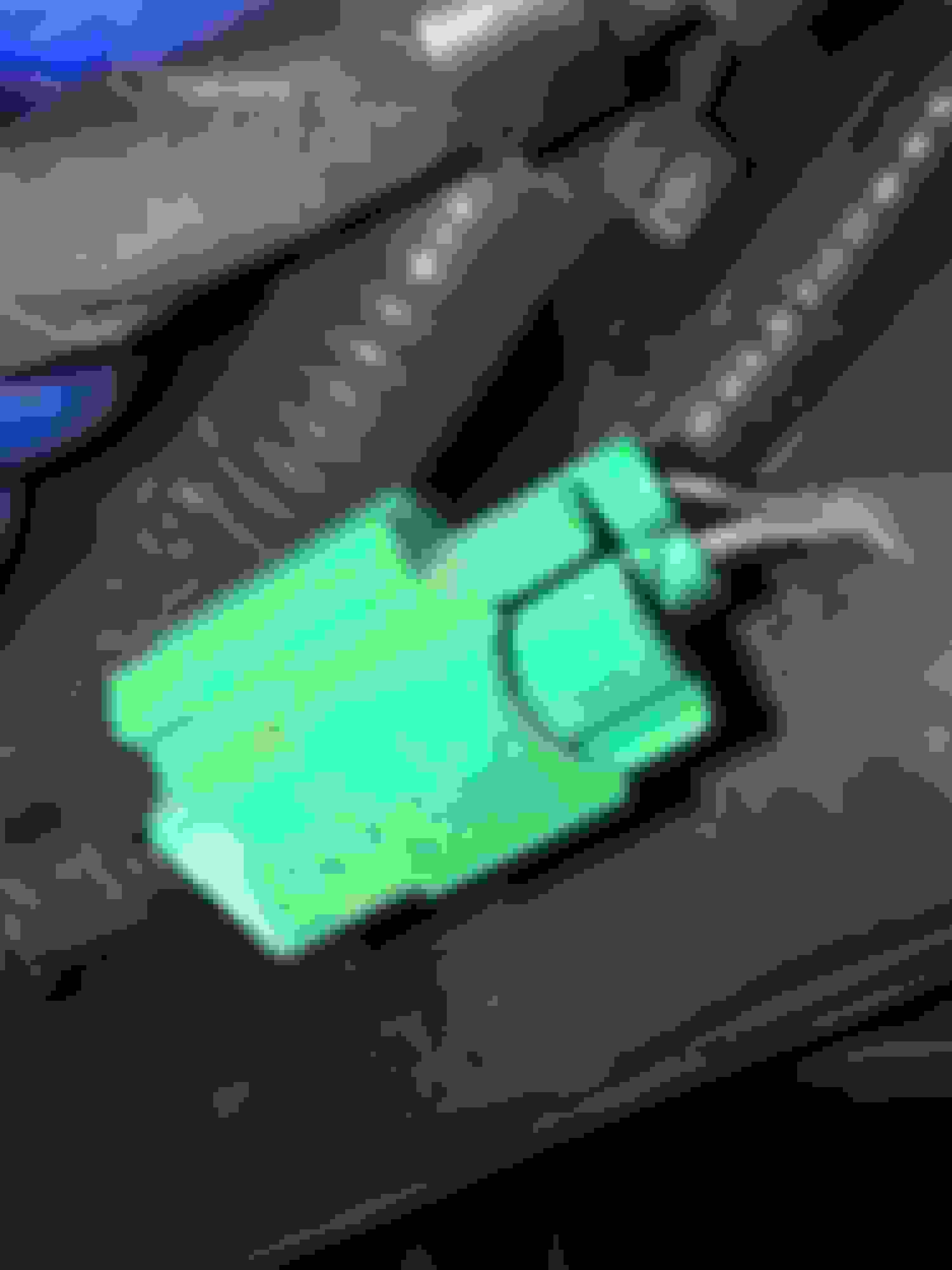
I was hopeful someone could identify what this connector goes to? Appreciate any help,as I have been unable to determine what this is for; either through internet searches or in the owners manual.
Again, thanks for the help.
WTH?
if you would at least tell us the general location of this it might help someone help you.....
Under the dash? Under the hood? Under the body? Should I go on....?
if you would at least tell us the general location of this it might help someone help you.....
Under the dash? Under the hood? Under the body? Should I go on....?
Please do not.
My bad.
Posting on here is less user friendly than my ex-wife; and that is saying something!
Apparently I got cut off. That usually only happens at the bar on pay day.
No more analogies, I promise.
This is off the main undercarriage about a foot back of the rear diff.
approx mid: between rear axle and pig tail for tailgate/tail lights.
Runs off main and has two wires.
At the bottom of this post are directions for adding custom wallpaper. Is this feature still available on current production F150s? I do not recall seeing an “Edit Wallpaper” option on my 19 King Ranch.
-the Chief Gearhead
Originally Posted by Clayton Hofstetter
If Ford changed the MFT display (My Ford Touch (2014 had these icons)) by taking the seat icons off the screen (15 and up) and only using the "heated steering wheel" icon......why have i found found multiple at least 2015 MFT's displaying the seat icons?? --2015 Platinum
At the bottom of this post are directions for adding custom wallpaper. Is this feature still available on current production F150s? I do not recall seeing an “Edit Wallpaper” option on my 19 King Ranch.
-the Chief Gearhead
This feature isn't available on Sync 3 devices. Take a look at the image - it has 4 quadrants, which is the Sync 2 layout.
I was hopeful someone could identify what this connector goes to? Appreciate any help,as I have been unable to determine what this is for; either through internet searches or in the owners manual.
Again, thanks for the help.
Chester, does your truck have a backup camera? If not, then, my *guess* is that this plug is for that feature, when the tailgate is equipped with a camera.
If you were to add a Ford tailgate camera (it is in a new tailgate handle escutcheon) and plug it in, you would still need to activate the whole thing in FORScan.
Chester, does your truck have a backup camera? If not, then, my *guess* is that this plug is for that feature, when the tailgate is equipped with a camera.
If you were to add a Ford tailgate camera (it is in a new tailgate handle escutcheon) and plug it in, you would still need to activate the whole thing in FORScan.
Mine has the camera but does not have that plug. Mine does have the plastic tab on the harness that that plug clips to but no plug. And I have pretty much every factory option. The wires are pretty thick too, thicker than the camera feed wires.