


Adding Front Camera to XLT

Senior Member


Joined: Aug 2016
Posts: 871
Likes: 180
From: Berks County, PA

Maybe in 2027 they will remove the button all together making it fully impossible to disable start/stop.
Kidding...
I would assume the 2017s would have a the 3-button dash like the SD has.
Kidding...
I would assume the 2017s would have a the 3-button dash like the SD has.



Senior Member

Joined: Jul 2015
Posts: 2,160
Likes: 589
From: Lafayette, LA
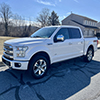
Go check out the camera-source website. I posted a picture some pages back in here of a 5 bar XLT grill with the surface mounted front camera. It is available in chrome or black. It has the on screen guidelines like the rear camera, unlike their front OEM style which does not.

Senior Member
Joined: Sep 2016
Posts: 306
Likes: 140
From: Amarillo, Tx
Ordered
TF's post made me spend the $. Ordered the Front only, with future ability for adding sides, from Camera-source.com. Great people and they have already shipped.
Do not have the OE camera ready 3 bar but noticed the knock out for one. Going to cut the emblem and install the factory camera.
Have a new front emblem to change during the process. Will post results in a couple weeks.
TexasFording, thanks for all your work and posts.
Do not have the OE camera ready 3 bar but noticed the knock out for one. Going to cut the emblem and install the factory camera.
Have a new front emblem to change during the process. Will post results in a couple weeks.
TexasFording, thanks for all your work and posts.
Senior Member
Joined: Jul 2015
Posts: 2,160
Likes: 589
From: Lafayette, LA
TF's post made me spend the $. Ordered the Front only, with future ability for adding sides, from Camera-source.com. Great people and they have already shipped.
Do not have the OE camera ready 3 bar but noticed the knock out for one. Going to cut the emblem and install the factory camera.
Have a new front emblem to change during the process. Will post results in a couple weeks.
TexasFording, thanks for all your work and posts.
Do not have the OE camera ready 3 bar but noticed the knock out for one. Going to cut the emblem and install the factory camera.
Have a new front emblem to change during the process. Will post results in a couple weeks.
TexasFording, thanks for all your work and posts.

Senior Member
Joined: Aug 2016
Posts: 321
Likes: 40
Senior Member
Joined: Aug 2016
Posts: 321
Likes: 40
This way, fonctionnality wise, it wouldnt change anything, but it may be more intuitive and more elegant that way...
Senior Member
Joined: Sep 2016
Posts: 306
Likes: 140
From: Amarillo, Tx
Senior Member
Joined: Aug 2016
Posts: 321
Likes: 40
@TEXASFORDING
- When cycling manually between the cameras using the button, do you only toggle thru forward and back or does it also cycle thru all 4 cameras ?
- When in reverse with a flasher (left or right, whatever), what camera is displayed ? (Who has priority ?)
Thanks!
- When cycling manually between the cameras using the button, do you only toggle thru forward and back or does it also cycle thru all 4 cameras ?
- When in reverse with a flasher (left or right, whatever), what camera is displayed ? (Who has priority ?)
Thanks!

Thread Starter
Senior Member
Joined: Apr 2016
Posts: 239
Likes: 31
From: Michigan
Go check out the camera-source website. I posted a picture some pages back in here of a 5 bar XLT grill with the surface mounted front camera. It is available in chrome or black. It has the on screen guidelines like the rear camera, unlike their front OEM style which does not.