When you click on links to various merchants on this site and make a purchase, this can result in this site earning a commission. Affiliate programs and affiliations include, but are not limited to, the eBay Partner Network.
Let us know how the install goes and if there were any problems. I want to order a d try the install myself but I’m afraid I’ll mess it up. Lol
it does look really simple thoughts.
Originally Posted by bryan_c
I put this on my '17 STX (and another on the wife's '16 Fusion) and it may have been the single best mod/addon I did to that truck.
If I bought an STX today, it would definitely be one of the 1st things I put on it, even with the FordPass app.
From the videos it looks like it mounts behind the glovebox on new models correct? On previous models it looks like it mounts under the dash.
From their install video it is behind the glove box on 21+ 150s. It will be here tomorrow with Amazon prime. I’ll let you know how it goes. Whether a turd or a diamond.
From the videos it looks like it mounts behind the glovebox on new models correct? On previous models it looks like it mounts under the dash.
Correct, behind the glove box. Only real "trick" to it, if you want to call it even that, is making sure the wiring is routed so it doesnt interfere with the glove box.
I suspect that anyone who had problems probably didnt read the instructions and connect the ground wire. Things do not work properly if they are not grounded. The dude that fried his BCM probably didn't connect the ground and that voltage has to go somewhere.
Just got it and installed it. Worked like a charm the first time! Lock, unlock, lock and it starts right up. Now to see if it will still do my scheduled start’s tomorrow morning at 3:55.
Thanks for the update.
There's a place here in my area that will basically do the same thing for $300. They'll install a module and do some programming. But as you and several other people stated, this install is straight forward and should be easy. My only concern is getting the glovebox out so I can connect the module and the ground.
'
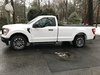
What your is your F150?
@rgm1266 The glove box was super easy. Open it like normal and then squeeze the sides in. It’ll come right out. Installation was easy flow the instructions. It says hold the black button then while holding plug in a connector. The release the button. Wait for the LEDs to do their thing then turn the ignition on without starting. Wait for the LEDs to do their thing again then turn it off wait 5 seconds then turn it on. The LEDs will turn off at that point and it’ll be programmed. Mine is a 22 STX 3.5EB.
These tabs on both sides.
All installed
Thanks for the update.
There's a place here in my area that will basically do the same thing for $300. They'll install a module and do some programming. But as you and several other people stated, this install is straight forward and should be easy. My only concern is getting the glovebox out so I can connect the module and the ground.
'
What your is your F150?
The '21-22 glovebox is super-easy. It really does pop right out, all in one piece. Way easier than even the '15-20.
@ Slater2111...Thanks for the detailed instructions. I think I'm going to order it and try the installation myself. It seems pretty straight forward.
After I connect the module, I just need to make sure I connect the ground then follow the programming and I should be good to go.
Do you have the FordPass App? If so, does that still work to remote start it?
Thanks again for your info!!
@ Slater2111...Thanks for the detailed instructions. I think I'm going to order it and try the installation myself. It seems pretty straight forward.
After I connect the module, I just need to make sure I connect the ground then follow the programming and I should be good to go.
Do you have the FordPass App? If so, does that still work to remote start it?
Thanks again for your info!!
yea it’s pretty straight forward. The two wire bundles that connect to the little black box are color coded and will only fit in those connectors. Just follow the book and you’ll be fine. It was super easy. I do have the FordPass app. I just tested it from my living room, and all functions worked. I’ll see if it still does scheduled start in the morning. Save $150 and order this one off Amazon. It works and is a 10 minute job.