When you click on links to various merchants on this site and make a purchase, this can result in this site earning a commission. Affiliate programs and affiliations include, but are not limited to, the eBay Partner Network.
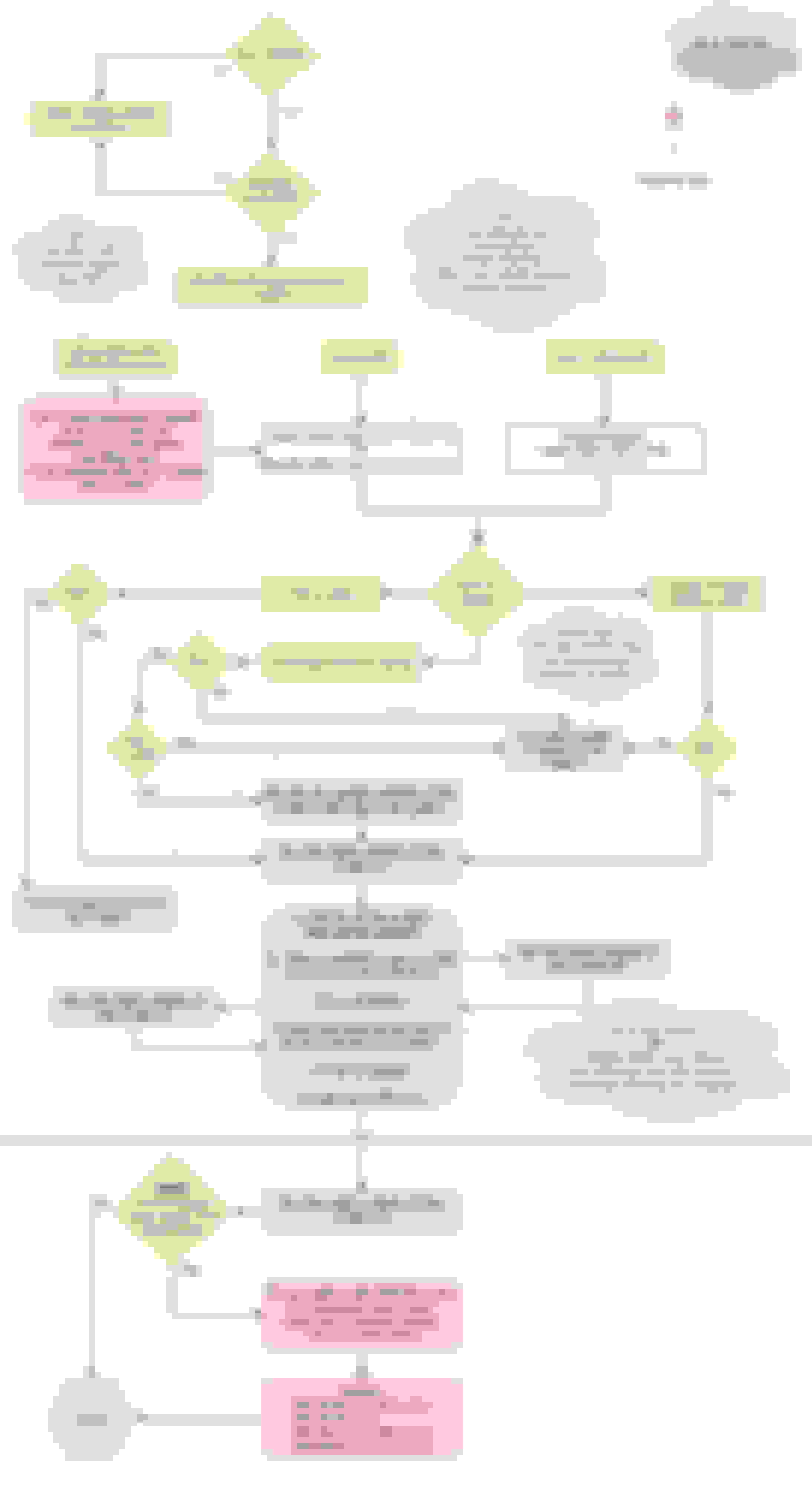
This process will install latest Sync 3 V3.4 and navigation maps. It's not an official process, I'm just tired of how slow Ford releases OTA updates for current publicly available content. This is what I do to my vehicles, if you wish to copy me, I've outlined steps below in a flowchart. Please note this thread is 7 years old.
/
/
This update may take over 30 minutes for some users, perform it with the ignition running.
Push button start vehicles with Auto Engine Idle Shutdown (AEIS), have the ability to turn off the engine after 30 minutes which may disrupt the install process.
AEIS can be disabled with ForScan by setting this data:
2017 - 2020
IPC 720-01-01 24xx xxxx xxxx
(Check with ForScan spread sheet. This data is slightly different based on 4x4 type)
2015 & 2016 models also need this configured in addition to the above IPC setting: BCM 726-22-01 xxxx xxx0 xxxx
/
/
After the install is complete allow Sync 3 to fully power down by turning off the vehicle, opening and closing the drivers door, and locking the truck with the key FOB.
You should master reset Sync 3 after performing any update to clear system cache. Take a picture of your audio EQ settings before a master reset because it will reset to default.
Use a USB flash drive that is at least 16GB in size and set it as MBR.
If you need to make your own autoinstall.lst file. Use the following as a template:
[SYNCGen3.0_ALL]
Item1 = 5U5T-14G381-ES.TAR.GZ
Open1 = SyncMyRide\5U5T-14G381-ES.TAR.GZ
Options = AutoInstall
You can have up to 11 entries before you have to split the installs.
Make sure that your USB drive is formatted to exFAT.
Also, whats the file name for the calibration to be D/L'd from ucsd?
If you choose to flash APIM firmware there is a 90% chance you will break it on the first try. I've flashed 5 APIM so far and of those five, three of them went to a black screen on the first try. There isn't an exact science to loading known invalid firmware onto the APIM's, but in nearly all situations the faults are recoverable. You just have to keep trying different Strategy and Calibration files until you find something that works. One thing that makes troubleshooting extra nerve racking is that even if you revert back to the original firmware you'll still be stuck with a screen that won't turn on.
If you find files that work but cause the APIM to report wingdings symbols, try again until you find something the APIM will recognize. If you have something that looks like the 'bad' example shown below, the APIM might get stuck waiting in a programming mode, never shut down and cause parasitic battery drain in the background.
Too many versions of APIMs exist to list a specific .vbf files per-se.
Here's a really simplified scenario of what to aim for.
Toggle all the check boxes circled in red to match the photo.
In the 'Available' drop down list select custom.
All the files listed in the in the green rectangle area will be blank. You have to fill them in.
Each blue circle is a button that will prompt you for a local file location.
Do not flash APIM firmware unless if you are confident you have the tools and knowledge to troubleshoot it. There is a high probability it will get screwed up on the first try.
If you have a 2017 or later F150, 1U5T-14G374-EH & 1U5T-14G375-DA seem to load fine and it's really all you need.
Sync 3 Gen 1 APIM's are a giant pain to troubleshoot.
If you get stuck, you have to keep trying and researching different xxx-14G374-xx files until you find one that works. Don't start messaging me at 2am if you screw one up.
DanMc85 listed this on the Ford Fusion forums:
3.4 APIM Navigation Unit Firmware GB5T-14G376-AA 1U5T-14G374-EE 1U5T-14G375-DA GB5T-14G379-AA 5U5T-14G379-BA
3.3 APIM Navigation Unit Firmware GB5T-14G376-AA 1U5T-14G374-DA 1U5T-14G375-DA GB5T-14G379-AA JB5T-14G379-BA
3.0 APIM Navigation Unit Firmware (Originally Found On 2017/Some 2018 - Units That Ship with 2 USB Ports on Back) GB5T-14G376-AA HB5T-14G374-CA HB5T-14G375-CA GB5T-14G379-AA HB5T-14G379-BA
Last edited by Airborne_Ape; Mar 4, 2020 at 11:43 AM.
Pretty cool that someone's tackling this. I think I'll wait a bit until it's not just random files from someone's Synology in Russia, but at least this is promising.
The map upgrades are interesting - looking at the files for the 2018 free update, they are actually using a PKI certificate tied to the Sync ESN, which is way better than I expected and a lot more challenging to work around.
Highly advise loading all default APIM as built settings prior to update. Some but not all Non-Navigation Sync 3 users report Sirius icons loss after the update or due to incorrect regional settings in the APIM as built. Sirius logos were found in the unpackaged files so they are definitely part of the install, but please note some (not all) Non-Nav APIM's have this problem for no apparent reason.
7D0-02-01 xxxx
United States = 5553
Canada = 4341
International date line (south east Asia) = 5753
Last edited by Airborne_Ape; Mar 19, 2020 at 07:05 PM.
Copy and pasted this from the future and slotted it here for greater visibility. Reference Post 4053 on page 406 in this thread.
Originally Posted by Theocoog
I have a 2016 Non-Nav F150 with a G-series APIM that has ~1.7GB free space out of a total of 8GB, and I was driving myself crazy trying to get past the MEM_ERR03 error while trying to go from 3.4.20282 to 3.4.21020. I had previously installed the latest Gracenote (NA-0020) by itself and did not want to delete that to make space or go through a reformat or downgrade process.
I finally got it all installed by loading Apps and Voice separately:
-Download correct files from Post #1 (Folder 4)
-Create separate USBs for App file and Voice file
-Delete attached phone
-Master Reset, verify phone and Android Auto are gone.
-Install the Apps file
-Master Reset
-Install Voice file
-Master Reset
Everything works!
Doing them separately worked great, if a little time consuming. I would not have been able to do any of this, at all, without the help of so many of you who contribute regularly to this thread, so many thanks!
Originally Posted by JRSBill
I wonder if you used an autoinstall.lst file like this if it would work:
This is the 3 step map and nav voice autoinstall.lst that i posted pages back to install the new maps and nav voice without reformatting. I cut it down to just the apps and voice file to go with 3.4 21020. Theoretically, it should reboot after installing the apps file and then install the voice file. I don't have a non nav system to test it on.
Last edited by Airborne_Ape; Apr 28, 2021 at 12:59 AM.
I don't suppose there is a youtube video explaining the process, and more importantly, the actual upgrade itself? My main beef with my 19 is it likes to periodically drop bluetooth. Does it do anything to improve that?





 Upgrade Sync 3 to V3.4 with Nav 2.20 instructions