


Help with backup camera


Member
Joined: Sep 2017
Posts: 99
Likes: 20
From: West of Houston, TX

Ok. So someone most likely either
A. Installed the camera and never programmed the screen.
B. Replaced the tailgate (maybe damaged or stolen?) with one that had a camera and didn't care to get the camera working.
If it is wire all the way front to rear you should be able to enable the rear camera in the screen with forscan.
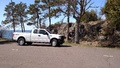
Being the truck appears really base in the photo it most likely didn't come with a camera so it will not be programmed from the factory for it.
A. Installed the camera and never programmed the screen.
B. Replaced the tailgate (maybe damaged or stolen?) with one that had a camera and didn't care to get the camera working.
If it is wire all the way front to rear you should be able to enable the rear camera in the screen with forscan.
Being the truck appears really base in the photo it most likely didn't come with a camera so it will not be programmed from the factory for it.

Thread Starter
Member
Joined: Sep 2021
Posts: 75
Likes: 44
From: Kentucky
Ok. So someone most likely either
A. Installed the camera and never programmed the screen.
B. Replaced the tailgate (maybe damaged or stolen?) with one that had a camera and didn't care to get the camera working.
If it is wire all the way front to rear you should be able to enable the rear camera in the screen with forscan.
Being the truck appears really base in the photo it most likely didn't come with a camera so it will not be programmed from the factory for it.
A. Installed the camera and never programmed the screen.
B. Replaced the tailgate (maybe damaged or stolen?) with one that had a camera and didn't care to get the camera working.
If it is wire all the way front to rear you should be able to enable the rear camera in the screen with forscan.
Being the truck appears really base in the photo it most likely didn't come with a camera so it will not be programmed from the factory for it.
Also, the original F150 data sheet says it was originally sold in Canada and not for sale or registration in the United States... Which I thought was kinda strange.
Last edited by Wraithvenge; Sep 14, 2021 at 01:06 PM.

Senior Member
Joined: Mar 2016
Posts: 6,548
Likes: 486
From: South-central Ohio
Sync2 with 4” (+/-) screen.
Senior Member


Joined: Oct 2016
Posts: 2,077
Likes: 405
From: Chicago area
That's the wierd thing about it. The truck came with the original Ford data sheet (the window flyer that lists all the options and price) from when it was new on the lot and it lists a backup camera as an included option, hence why it doesn't make any sense and I came to the forum for help lol. I'm not used to all the electronic bs these newer vehicles have, newest vehicle I ever had before this was a 2009 Ford Expedition EL Limited. I do plan on going through it with FORScan as soon as my OBD cable shows up, see if I can activate it that way.
Also, the original F150 data sheet says it was originally sold in Canada and not for sale or registration in the United States... Which I thought was kinda strange.
Also, the original F150 data sheet says it was originally sold in Canada and not for sale or registration in the United States... Which I thought was kinda strange.
Senior Member
Joined: Mar 2016
Posts: 6,548
Likes: 486
From: South-central Ohio
That's the wierd thing about it. The truck came with the original Ford data sheet (the window flyer that lists all the options and price) from when it was new on the lot and it lists a backup camera as an included option, hence why it doesn't make any sense and I came to the forum for help lol. I'm not used to all the electronic bs these newer vehicles have, newest vehicle I ever had before this was a 2009 Ford Expedition EL Limited. I do plan on going through it with FORScan as soon as my OBD cable shows up, see if I can activate it that way.
Also, the original F150 data sheet says it was originally sold in Canada and not for sale or registration in the United States... Which I thought was kinda strange.
Also, the original F150 data sheet says it was originally sold in Canada and not for sale or registration in the United States... Which I thought was kinda strange.
When i put it in reverse, nothing happens- the screen dont even twitch it just stays on the radio/cd/ bluetooth screen. My local dealer seems clueless…
Thats why im following this thread closely-
its kind of a poser of a problem.
Thread Starter
Member
Joined: Sep 2021
Posts: 75
Likes: 44
From: Kentucky
Its not unusual for a Canadian truck getting sold here. I think the reason its not to be sold here is related to the labeling of things, speedo would show in kilometers, gas gauge, etc, that needs to be changed when its sold here. Plenty show up here on the forum. If the camera is from the factory, its turned on, something is failing or the former owner disabled it and I would have a hard time believing that. I'm pretty sure that is still Sync3 in that 4.2 inch screen, if you hit the menu button next to the screen, you should find a menu about or versions, something like that. Just a slim down version if I remember correctly. The electronics will be nothing like your familiar with, very rarely does a switch actually control the item, example, the headlight switch, when you turn it on it tells the BCM you want the headlights on, the BCM then turns on the headlights.
The speedo has MPH dominant over kph with the manual referencing American units instead of metric, but I did notice that even though all the units can be swapped between American and metric in the system, it defaults to metric (Celsius, kph for mileage and fuel economy etc) if you factory reset or disconnect the battery.
Thread Starter
Member
Joined: Sep 2021
Posts: 75
Likes: 44
From: Kentucky
Wraith, your situation seems the same as mine- the original window sticker (i found it rolled up in the trailer wiring pigtail sleeve) lists a back up cam, the tailgate has a factory cam, ( TexasFording run my VIN, and confirmed the camera installation) and all the wiring up to just below the cab is intact and in great shape.
When i put it in reverse, nothing happens- the screen dont even twitch it just stays on the radio/cd/ bluetooth screen. My local dealer seems clueless…
Thats why im following this thread closely-
its kind of a poser of a problem.
When i put it in reverse, nothing happens- the screen dont even twitch it just stays on the radio/cd/ bluetooth screen. My local dealer seems clueless…
Thats why im following this thread closely-
its kind of a poser of a problem.
A friend of mine had a 2015 F150 XL with Sync 1 that didn't come with a backup camera, so he got a tailgate handle, camera and tailgate wiring harness (camera & lock cables instead of just the lock cable), replaced the tailgate handle with the camera one and swapped the harness (just runs from the handle to right behind the bumper), then used FORScan to change a setting in some module and it worked. Seeing how all the hardware is already installed on my truck, I think I just need to change that setting and see what happens.
Seems like a better option since the dealership wants to charge me $130 just to "diagnose" the problem, so I just dropped $40 on a FORScan cable and I'll go from there. Either it works and I save at least $90 + whatever the dealership charges to change a setting, or I just drop money on one of those fancy dash cams that have a remote rear camera and just use the FORScan cable to check future trouble codes. Either way, still need the cable lol
Senior Member
Joined: Mar 2016
Posts: 6,548
Likes: 486
From: South-central Ohio
That's why I'm thinking it's been disabled via firmware settings in the whatever module, seeing how I'm not getting any error messages saying something like "camera error" and don't see any settings in the dash menu.
A friend of mine had a 2015 F150 XL with Sync 1 that didn't come with a backup camera, so he got a tailgate handle, camera and tailgate wiring harness (camera & lock cables instead of just the lock cable), replaced the tailgate handle with the camera one and swapped the harness (just runs from the handle to right behind the bumper), then used FORScan to change a setting in some module and it worked. Seeing how all the hardware is already installed on my truck, I think I just need to change that setting and see what happens.
Seems like a better option since the dealership wants to charge me $130 just to "diagnose" the problem, so I just dropped $40 on a FORScan cable and I'll go from there. Either it works and I save at least $90 + whatever the dealership charges to change a setting, or I just drop money on one of those fancy dash cams that have a remote rear camera and just use the FORScan cable to check future trouble codes. Either way, still need the cable lol
A friend of mine had a 2015 F150 XL with Sync 1 that didn't come with a backup camera, so he got a tailgate handle, camera and tailgate wiring harness (camera & lock cables instead of just the lock cable), replaced the tailgate handle with the camera one and swapped the harness (just runs from the handle to right behind the bumper), then used FORScan to change a setting in some module and it worked. Seeing how all the hardware is already installed on my truck, I think I just need to change that setting and see what happens.
Seems like a better option since the dealership wants to charge me $130 just to "diagnose" the problem, so I just dropped $40 on a FORScan cable and I'll go from there. Either it works and I save at least $90 + whatever the dealership charges to change a setting, or I just drop money on one of those fancy dash cams that have a remote rear camera and just use the FORScan cable to check future trouble codes. Either way, still need the cable lol
Thread Starter
Member
Joined: Sep 2021
Posts: 75
Likes: 44
From: Kentucky
Im a dinosaur when it comes to this computerization/ modules stuff- i checked the wiring/ connectors- all look real clean- ive read that the cameras are kinda fragile, but if i replace it, im pretty sure i will have to have it “ turned on” in the module (?)- and i dont know if i trust myself enough to try the forscan, lol!