When you click on links to various merchants on this site and make a purchase, this can result in this site earning a commission. Affiliate programs and affiliations include, but are not limited to, the eBay Partner Network.
Ok, I have had the vertical rainbow stripes happen on my camera occasionally for about a year. Very occasionally, like less than once a month. Now it has gone critical on me. It works properly maybe once in every 20 times or so.
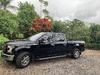
The truck:
2016 F-150 XLT 4wd extended cab
5.0 Flex fuel
It has the backup camera ONLY, no cameras in the mirrors
If and when it does work, the curved park assist lines work fine
So far:
I have checked and cleaned cable connectors (both under the truck and at the camera
I have replaced the camera itself
Cleaned the left front fender ground (i think that is involved)
Removed the screen display and re-seated the connector to the Image Processor B
The strange:
Most times i can see in the background\g stripes some semblance of an image....However a lot of the time it is an OLD image.
Example: I go to Quik Trip to get gas, it acts up as usual. I get home and start to reverse into the driveway. What I can see in all the stripey visual noise is the Quick Trip gas pumps from a half hour ago even though I am at home. If, while I am still in the truck and shift out of reverse, then back into reverse the Quick Trip image is updated with what is behind the truck. Granted it's a VERY poor image, but clearly my other car is in the image, which sits behind the truck.
Logic tells me that this is the image processor.
Thoughts?
Keith, I’m having the exact same issue with nearly the exact same truck. I replaced the camera, and wiring harness, without any change in the vertical lines. Let me know what you figure out with the APIM.
Well, I have some more information. I haven't been driving the truck much lately. I have been working in Chicago and leaving my car (not the truck) at the airport.
When I am home, I use the truck. The weather here (Atlanta) has been hotter than the gate hinges of Hell. After the truck sits out in the near 100 degree heat for a while, and the cab/dash gets really hot, the camera works great, until the cab starts to get cooled own by the A/C.
It's almost like the image processor has a cold solder joint or something similar.
Any thoughts?
Since I HATE it when somebody posts on a forum with a question like (mine for example) and then NEVER EVER tells the group if or HOW it is resolved, I dedicate myself to NOT be that person.....
Looking at the previous threads, you can see how my backup camera had devolved into a less than entertaining rainbow display with intermittent ghostly images of what the camrera had been pointing at as long as a few hours ago..
I had:
Changed the camera
Cleaned all connections in the harness
cleaned all grounds
checked for high resistance fuses
I swapped the APIM (for one that already had SYNC updated on it, so a plus
Downloaded Forscan and looked at the DTC's (APIM had one as will as the Image Processor B)
The new APIM did NOTHING to resolve the problem @TylerMcM Replacing the image processor B fixed it!!!!
A huge thank you to eBay seller REVAMPMYRIDE. Dan (the seller) was incredibly responsive, answering my questions within minutes. I gave him my VIN and he programmed it and got it in the mail that day. When the APIM failed to do the trick, I gave him the part number of the Image processor B (GL3T-19H423-BC) and while I had him on the phone (yes, he called me after fining out about the lack of progress when the APIM did NOT fix it). Within 2 minutes he had one in his hand, and after verifying it was she same as mine he said I would have it in 2 days, which I did. If I could give him more that 5 stars I would.
The image looks MUCH better in real life, BTW. The scan lines are caused by the camera....


 Another backup camera question


 Backup Camera FIXED


