


04 F150 FX4 no start


Thread Starter
Junior Member
Joined: Dec 2013
Posts: 15
Likes: 0
From: Lake City, FL
 04 F150 FX4 no start
I know there's been several threads on similar issues, but I'm still having issues. My wife's 2004 F150 FX4 5.4L SCAB will not start. She drove it home Friday without having any prior issues with this system, and went to start it Saturday morning and it won't start. I have checked all the fuses, checking continuity with a volt meter, switched around the relays, inspected all the connections, tried a different battery, changed the starter (against my personal recommendations) and still won't start. When I turn the key to start, I hear an audible click from the relay box but still get no voltage to the solenoid lead at the starter (verified with a volt meter.) I have checked continuity on the wires to the starter and all appear to have good connection. The PAT light on the dash flashes at its regular 2 second intervals and have tried both keys. The display on the dash says "check gauges" and the wrench light is on. On the rare occasions that it does start and my Actron scanner will link to the system it shows no codes, but when it won't start my scanner won't link up. I have tried going through all the gears and the reverse light comes on when in reverse, and I have tried starting the truck in neutral.
Any insight would help as I have been fighting this issue for almost a week now.
Any insight would help as I have been fighting this issue for almost a week now.

Junior Member
Joined: Nov 2011
Posts: 96
Likes: 2

If scanner wont connect it means computer is not powered up, and without computer you wont have crank cause it controls the ground side of starter relay. with key on check if you are getting power to the red wires going to computer pin 12, 51, 52,53. with key on they all should have power. if they have power than check grounds, should be a group of them going to right rear of engine compartment. Now if thats all good you could have a bad computer or something shutting down the data communication lines like a bad module like a instrument cluster or abs, who knows. anything not work correctly when it does run?

Senior Member
Joined: Jun 2009
Posts: 736
Likes: 65
From: Edmonton, AB
Did you check the connector by the battery? I don't have a picture right now but it runs along near the battery and is quite known for corroding. If it does, you'll experience that exact same issue.
Senior Member
Joined: Jun 2009
Posts: 736
Likes: 65
From: Edmonton, AB
Thread Starter
Junior Member
Joined: Dec 2013
Posts: 15
Likes: 0
From: Lake City, FL
Just checked the connection as Homer recommended and there does not appear to be any corrosion. Disconnected and reconnected it to ensure a good connection and still not started. Still getting an audible click at the relay junction box but still not starting. It seems that when it's humid out it won't start but as the day commences and things dry out it seems more willing to start... I hate chasing ghosts in electrical systems!!!!
Thread Starter
Junior Member
Joined: Dec 2013
Posts: 15
Likes: 0
From: Lake City, FL
JT351 do you have, or know where I can find, a diagram showing the pin locations for the connectors? The Haynes manual that I have apparently isn't showing them, or at least I can't find it.
Trending Topics
Senior Member
Joined: Jun 2009
Posts: 736
Likes: 65
From: Edmonton, AB
I didn't realize the scanner won't link either. I can try and send the diagram tonight when I get home if JT351 is unable to by then.
Just a long shot because I run into this often. Do you have a remote start by any chance?
Just a long shot because I run into this often. Do you have a remote start by any chance?
Thread Starter
Junior Member
Joined: Dec 2013
Posts: 15
Likes: 0
From: Lake City, FL
no remote start, factory radio, factory speakers, etc. the only modifications that have ever been done were done before we purchased it almost 6 years ago, and it was the dual exhaust and leveling kit.
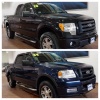
Senior Member
Joined: Mar 2013
Posts: 307
Likes: 22
From: NJ
My truck is equipped with a silencer under dash key which is a little black thing that plugs in under the steering wheel. I'm not sure if it's factory or aftermarket but if it's unplugged it kills power to the starter and the truck will not start or even crank. Maybe you have one. I didn't know what it was when I bought the truck I found out about it after going to a car wash and one of the dudes must have moved it and my truck would not start I started freaking out a little thinking they f'ed something up. The main guy there asked if there was an aftermarket security system and that's when it clicked for me to check that little black thing under the dash and boom it was all good. My truck is also an 04 fx4 screw. You could have a battery problem if odb isn't connecting. There is also the inertia switch that shuts the truck down in case it's flipped.
Last edited by Nalb1221; Jan 1, 2014 at 07:23 PM.