


2012 fx4

Thread Starter
Senior Member
Joined: Dec 2010
Posts: 437
Likes: 23
From: Valparaiso, Indiana
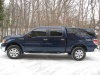
 2012 fx4
Got a 2012 fx4 w backup camera in the rear view mirror. But it doesn't have the lines like I know the nav one has or even my wife's 2011 escape does. Are everyone else's this way also or do you have the lines on the mirror camera


Thread Starter
Senior Member
Joined: Dec 2010
Posts: 437
Likes: 23
From: Valparaiso, Indiana
Originally Posted by dodgehemi0
It is in your settings you can add the lines and other things. I had the same problem and just searched the in the settings

Grumpy Old Man
Joined: Nov 2011
Posts: 3,129
Likes: 886
From: Midland County Texas, just west of the star in my avatar
I don't remember the details, and the FX may be different than the Lariat. But I know mine has a reverse camera settings screen that I can choose three positions = regular, zoom 1 and zoom 2. If I select zoom 2, it gives a close-up of what's behind me and adds a line for straight back to the ball of the trailer to show me when I'm lined up over the ball.
The reverse camera setting then cancels the zoom 2 and defaults back to regular when you shift out of reverse.
Mine also has a setting to kill the reverse sensor warning dinger. I don't need the racket when I'm backing up to a trailer to grab it and go.
Sorta like learning to use a new I-Phone. There are so many options that it takes some playing time while sitting on the driveway to figure it all out.
The reverse camera setting then cancels the zoom 2 and defaults back to regular when you shift out of reverse.
Mine also has a setting to kill the reverse sensor warning dinger. I don't need the racket when I'm backing up to a trailer to grab it and go.
Sorta like learning to use a new I-Phone. There are so many options that it takes some playing time while sitting on the driveway to figure it all out.

Senior Member
Joined: Dec 2011
Posts: 133
Likes: 10
I can't remember exactly, but:
Using the switches on the left side of the steering wheel, toggle left until you get to the main screen with a list of options. I believe you scroll down to the last option, settings. In that screen there should be settings for the rearview camera, once in there you can set the lines and a couple other features.
However, if you go to settings and you can't find anything for the rearview camera you may have an issue. My screen in the gauge cluster had to be replaced, when they did this, I lost the lines on my rearview mirror and lost the ability change any settings related to the rearview. I've read in a few places that it is most likely a software issue, however I haven't had the time to get back to the dealer and let them check it out. Hope something out of that helps.
- Steiner
Using the switches on the left side of the steering wheel, toggle left until you get to the main screen with a list of options. I believe you scroll down to the last option, settings. In that screen there should be settings for the rearview camera, once in there you can set the lines and a couple other features.
However, if you go to settings and you can't find anything for the rearview camera you may have an issue. My screen in the gauge cluster had to be replaced, when they did this, I lost the lines on my rearview mirror and lost the ability change any settings related to the rearview. I've read in a few places that it is most likely a software issue, however I haven't had the time to get back to the dealer and let them check it out. Hope something out of that helps.
- Steiner

Senior Member
Joined: Apr 2012
Posts: 250
Likes: 19
From: New England
As others said, it's pretty easy to find. Go into settings, find backup/rear view camera, and turn on Guidelines. If you're really having that much trouble finding it, it's in your owner's manual.
Note that my truck(2012 FX4) did not come with the Guidelines on, so there is no need to assume that there is something wrong with your truck before you try turning them on.
Note that my truck(2012 FX4) did not come with the Guidelines on, so there is no need to assume that there is something wrong with your truck before you try turning them on.
Last edited by Rider; Jun 28, 2012 at 12:55 PM.