When you click on links to various merchants on this site and make a purchase, this can result in this site earning a commission. Affiliate programs and affiliations include, but are not limited to, the eBay Partner Network.
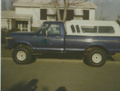
On my iPad many times the images that load into a thread are extremely low quality. Very blocky and few colors to the point that many times I can’t recognize what the picture should be. If I tap on the picture, then it shows in full quality.
I’ve looked for a way to force high quality image loading, but have found no such options. Any thoughts?
This is a known issue with the latest Apple update. We are looking into options to resolve the issue but this does appear to be related to Apple's own update.
While you may not see this on other sites, this issue is not specific to F150Forum and will occur on any site that uses the same feature that F150Forum uses. However, it's not extremely common for sites to use this advanced tech so that's why it may appear to be specific to a website when it's actually not the case.
Under Experiential settings in your Apple device's browser, you can disable the Lazy Load feature to resolve the issue. We understand you may not want to change settings, but that is an option until our team, or Apple, resolves the issue.
Originally Posted by gears
On my iPad many times the images that load into a thread are extremely low quality. Very blocky and few colors to the point that many times I can’t recognize what the picture should be. If I tap on the picture, then it shows in full quality.
I’ve looked for a way to force high quality image loading, but have found no such options. Any thoughts?
I’m so glad I found this thread. I thought I was going crazy. About the time I installed the latest iPhone update, I also deleted my safari temporary and history files. I wasn’t sure what caused the low res image loading issue for me. I’ve been trying to fix it ever since.
This problem was happening to me on all vBB based web forums, not just this one.
I made the lazy image loading setting change, hopefully that fixes it. So far so good.
I tried that too and I thought it worked at first, but it didn’t stay fixed.
So far, disabling “lazy image loading” under: settings - safari - advanced - experimental features, seems to have fixed it.
The issue appears to be that Apple's new lazy loading conflicts with the lazy loading that has been in use the sites for some time.
Our tech team believes they have a workaround for this that doesn't require members to change settings in their browser. The fix is clearing testing on another site in the network, with good results so far, and so it's expected that it will get applied to F150Forum and other sites within the week or so.
This problem was happening to me on all vBB based web forums, not just this one.
I made the lazy image loading setting change, hopefully that fixes it. So far so good.
I guess I don't go to other vBB forums but lazy image disable did the trick. I phone was easy, MacBook they make you work for it. Have to enable developer mode. works though, thanks


 Low quality images