


1st FDRS Update


Thread Starter
Junior Member
Joined: Dec 2022
Posts: 6
Likes: 6
 1st FDRS Update
Finally going to get my Mongoose cable, USB and car Charger in tomorrow all from Amazon.
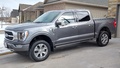
Going to attempt updating the SYNC 4 on my 2022 F-150 Platinum with Power-boost.
I want to be able to get the CarPlay on Full Screen.
any suggestions on which order to go with, going to follow Iceman’s Guide plus saw Mitch *** video on YouTube.
I’m going to try to use Parallel software with Windows running on my MacBook.
hope me luck and post any suggestions.
currently:
SYNC 4, Software Version: 21297_PRODUCT Revision: 253
Going to attempt updating the SYNC 4 on my 2022 F-150 Platinum with Power-boost.
I want to be able to get the CarPlay on Full Screen.
any suggestions on which order to go with, going to follow Iceman’s Guide plus saw Mitch *** video on YouTube.
I’m going to try to use Parallel software with Windows running on my MacBook.
hope me luck and post any suggestions.
currently:
SYNC 4, Software Version: 21297_PRODUCT Revision: 253


I don't know about the Parallel software on the Macbook, but my guess is that you will see a number of modules that will be updated. Your SYNC version is fairly old. I have a 2021 and I believe I have topped out at Ver: 22293 Rev. 610. I don't have a PB but I read that there were issues with a version of the BCM module update for those trucks, so you may want to read up on that before starting.
I followed Iceman's guide and everything worked well. I have updated three times over the course of several months. Prior, I was stuck in OTA update limbo.
If you are updating a module that is dependent on another, it will update the necessary modules simultaneously. I didn't have any trouble. Just block out a day or two to do the updates as the APIM can take hours itself with the USB.
Good luck!
I followed Iceman's guide and everything worked well. I have updated three times over the course of several months. Prior, I was stuck in OTA update limbo.
If you are updating a module that is dependent on another, it will update the necessary modules simultaneously. I didn't have any trouble. Just block out a day or two to do the updates as the APIM can take hours itself with the USB.
Good luck!
Thread Starter
Junior Member
Joined: Dec 2022
Posts: 6
Likes: 6
Yeah I might not Risk it and pick up a cheap laptop from the store to get this done.
can someone check the VIN for a list of updates I’ve had: 1FTFW1ED9NFA47865
any order I should start with on the module to start the update ?
from what I can read the BCM was fixed on the FDRS or it was removed for the power boost?
can someone check the VIN for a list of updates I’ve had: 1FTFW1ED9NFA47865
any order I should start with on the module to start the update ?
from what I can read the BCM was fixed on the FDRS or it was removed for the power boost?

Member


Joined: Jul 2021
Posts: 47
Likes: 22
From: Coweta, OK
If your MacBook is M1/M2, then I for sure wouldn't risk it. I had no problems with Forscan on my Intel Mac using parallels. But Apple silicone Mac requires a semi beta version of windows and likely arm compatible device drivers.
Even though I had luck with Forscan with the Intel Mac, I probably would shy away from using it for a FDRS update.
Even though I had luck with Forscan with the Intel Mac, I probably would shy away from using it for a FDRS update.

Senior Member
Joined: Aug 2021
Posts: 579
Likes: 289
Yeah I might not Risk it and pick up a cheap laptop from the store to get this done.
can someone check the VIN for a list of updates I’ve had: 1FTFW1ED9NFA47865
any order I should start with on the module to start the update ?
from what I can read the BCM was fixed on the FDRS or it was removed for the power boost?
can someone check the VIN for a list of updates I’ve had: 1FTFW1ED9NFA47865
any order I should start with on the module to start the update ?
from what I can read the BCM was fixed on the FDRS or it was removed for the power boost?


Trending Topics
Senior Member
Joined: Aug 2021
Posts: 579
Likes: 289
The order doesn't seem to matter, but depending on exactly how out of date your current software is, you may have to update certain modules more than once. Also keep in mind that it isn't uncommon for some groups of updates to take 8 hours. In my case, the APIM, TCU, IPC, and IPMA updates were painfully slow, but all the other ones I had went very quickly.

Senior Member


Joined: Sep 2021
Posts: 3,145
Likes: 1,456
From: Miami, FL
Make sure you have a USB drive minimum 32GB freshly formatted to exFAT as you will need it for some of the updates. FDRS will download the updates to the USB drive, and then you have to insert the USB drive into the slot under the touchscreen for it install. Name the USB drive something short like "sync" as long names have been known to cause issues.
Also, the BCM update that recently came out that was causing one headlight to not work has been pulled from FDRS as per Jesse on gen14, so there should not be any updates on FDRS now that are to be considered unsafe to install.
Also, the BCM update that recently came out that was causing one headlight to not work has been pulled from FDRS as per Jesse on gen14, so there should not be any updates on FDRS now that are to be considered unsafe to install.