When you click on links to various merchants on this site and make a purchase, this can result in this site earning a commission. Affiliate programs and affiliations include, but are not limited to, the eBay Partner Network.
Performance, Tuning, and (LEGAL) RacingPost discussions about increasing performance, capabilities, and racing.
****WARNING**** Street racing or illegal activities will be removed and potential bans will
be handed out.
I am a newbie when it comes to data logging, using configurations and operating tuners. However, I am slowly learning how to operate and navigate through these obstacles.
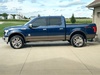
I have a 2015 Ford F150 King Ranch, I purchased an SCT Livewire TS+ from MPT Tuning. I currently have their PrX 93 octane tune installed. I definitely like how this tune woke my truck up but I found myself wondering if this was truly dialed in with my truck. I emailed MPT and asked if I needed to refresh the tune ' re-upload' every now and again as I've heard it's possible that the truck feels sluggish after months down the road. MPT debunked this, saying they have no known knowledge of anyone that had this situation happen. However, they did say I am within the 60 day window of having the performance of my truck diagnosed in detail.
Data logging, yes I've heard of this term before but I've never actually performed this test. MPT does an excellent job in explaining how to perform and set up data logging on their website. They even have answers with FAQ's on each step which was very helpful.
So touching on my original post topic, I searched other posts about adding additional criteria to my SCT livewire device so I can see analog gauges to monitor. For instance, the SCT device did not have "Knock sensor," I was able to use the (Live Link Gen II) program that MPT recommended I download, to perform this task. Once program is downloaded to your laptop, open the program and look at the top left of the screen and hit "Guide Me".
your screen will look like this, click on "I want to create a catalog configuration file."
Ensure your SCT device is connected to your Laptop with provided cables.
- once you click that it will ask if the vehicle is available. I did this on my countertop and NOT in the vehicle.
- verify the vehicle information is correct and hit "select items".
Configuration screen will load and looks like this:
You will want to look at the center of the screen and find " Load Configuration" which will open any files you have pre-downloaded either from tuner or their website that has predetermined PID monitoring criteria.
-You will be prompted, asking if you want to merge the config files, hit "yes".
All monitoring criteria will now be shown on the left side of screen as shown in picture above.
- Now you will want to find the "Export DLF/DLX" at the top of screen. This will help export your configuration to your device so you can view various parameters such as the "Knock sensor".
-Save/rename this configuration before saving it to your SCT device.
Once this configuration has been downloaded, you should be able to connect the SCT device to your vehicle OBD II port and navigate to your gauges function. Set up your layout via the prompts and then you should be able to hit "configuration" on your device. Find the configuration you just installed "find specific name of file you set" and upload. This should enable you to view a vast amount of new parameters with your gauge layout.
Here is the current layout on my SCT Livewire TS+
I hope this helps someone who kind of struggled initially like myself. I am currently waiting on a reply from MPT on my recent data logging files that were sent in for any revisions.
I have only sent in information on my PrX 93 tune.
I did a "manual" 3rd gear pull from 2000-6000 rpms, a 0-80mph WOT and a 1-1:30 minutes normal drive 0-60mph.
Last edited by 15krf150; Jul 23, 2019 at 09:43 PM.
Reason: Detailed title
Knock sensor is not really what you wanna be watching. Knock Retard(KR) and Learned Octane Ratio/Octane Adjust Ratio(LOR/OAR) are really what you wanna see as that is telling you how much timing the engine is pulling to prevent knock. It shouldnt be knocking unless your tune is messed up or you got really bad fuel. In either case, KR would warn you.
If you are getting consistently deep into the positives on KR(5+) then you should be getting concerned.
Last edited by mass-hole; Jul 23, 2019 at 11:19 PM.
Knock sensor is not really what you wanna be watching. Knock Retard(KR) and Learned Octane Ratio/Octane Adjust Ratio(LOR/OAR) are really what you wanna see as that is telling you how much timing the engine is pulling to prevent knock. It shouldnt be knocking unless your tune is messed up or you got really bad fuel. In either case, KR would warn you.
If you are getting consistently deep into the positives on KR(5+) then you should be getting concerned.
Although highly unlikely is it possible the fuel you’re getting has a substantially lower octane than is advertised?
Although highly unlikely is it possible the fuel you’re getting has a substantially lower octane than is advertised?
Right, but you would instantly catch that when the KR bottoms out and LOR starts going positive.
The knock sensor won't actually give you a warning until knock is detected, which it shouldnt be as long as you are operating in the KR and LOR windows.
Right, but you would instantly catch that when the KR bottoms out and LOR starts going positive.
The knock sensor won't actually give you a warning until knock is detected, which it shouldnt be as long as you are operating in the KR and LOR windows.
Right but the windows are only 5° either way correct ?
Knock sensor is not really what you wanna be watching. Knock Retard(KR) and Learned Octane Ratio/Octane Adjust Ratio(LOR/OAR) are really what you wanna see as that is telling you how much timing the engine is pulling to prevent knock. It shouldnt be knocking unless your tune is messed up or you got really bad fuel. In either case, KR would warn you.
If you are getting consistently deep into the positives on KR(5+) then you should be getting concerned.
Thankfully my truck isn't knocking, Ive just read that you want to see more towards 0 or in (-) negatives. I wanted to be able and pull up that function, However it wasn't on my SCT Livewire, which was really the summary of my post in downloading a configuration file to the Device so I could see multiple options in gauge criteria. I did not see the Knock Retard one though (KR) only the knock sensor. I emailed MPT to see what I should be looking at and they sent me a reply.
I will most definitely check out the other two gauges you had mentioned (LOR/OAR) as well. Thanks for the advice.
From what I read in your posts you said you were doing this at your counter and not in the truck? You will get a more detailed and accurate list of PID's when connected to your tuner in your truck with it running. I found more PID's in my list when doing this vs loading a pre loaded list of PID's.
Also about your comment about the truck feeling sluggish after a while being on the tune. I have not verified this on my 2009 but in my 2004 that ran custom tunes I noticed this. You could try this: return the vehicle to stock, start the truck and drive it for a minute (I would return to stock while at work, then drive home) then reload your tune. I noticed my truck would regain that peppy feeling of the tune after doing this.
Depends on how the tuner sets it up. My 2014's stock tune will retard 6° or advance 4°.
If you are falling outside that window something is not right. I have never seen a 6.
With the adaptive tunes I imagine they are opening that window up. I think 5Star is even claiming you can run 85 octane on their adaptive tune.
I was speaking just to the OEM timing adjustments under the direction of the wideband and the adaptive sensors on factory flex fuel vehicles. I was thinking the ECM (or insert correct acronym here) would only Add or “Pull” timing by a max of 5°In either direction (10° total spread).




 SCT Livewire knock sensor PID configuration