


Stability control...


Thread Starter
Member
Joined: Sep 2010
Posts: 36
Likes: 23
 Stability control...
The traction control can be disabled by hitting the switch in the dash.
However, can the stability control be also disabled?
I do not like the fact that I cannot drift the truck on snow or ice if I need too.
However, can the stability control be also disabled?
I do not like the fact that I cannot drift the truck on snow or ice if I need too.

Senile member
Joined: Jun 2017
Posts: 3,633
Likes: 1,058
From: Sarasota, FL area
I think you're overthinking the control the stability control has.
shoot, with traction control fully on, I was getting pretty sideways unintentionally during some nasty rain here recently just moderately accelerating :/
shoot, with traction control fully on, I was getting pretty sideways unintentionally during some nasty rain here recently just moderately accelerating :/

Thread Starter
Member
Joined: Sep 2010
Posts: 36
Likes: 23
Thanks shortyjacobs…
I must have missed it when I initially tried it. I guess I waited too long with the button depressed and cycled right through it.
Momentary push of the button turns "OFF" the traction control. See the "Traction Control OFF" warning in the main cluster.

Push the button momentarily again and the traction control reactivates or is back "ON".
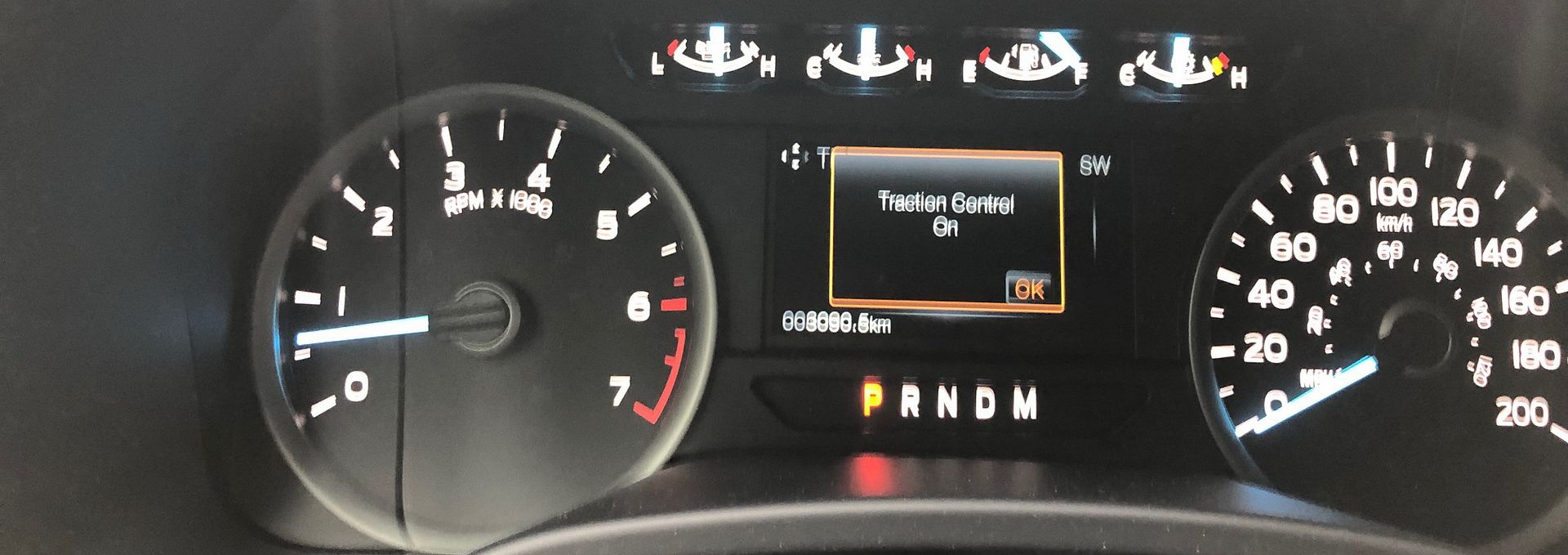
Push and hold the button in for 5 seconds and the system deactivates totally. See the "Advance Trac OFF" warning in the main cluster.
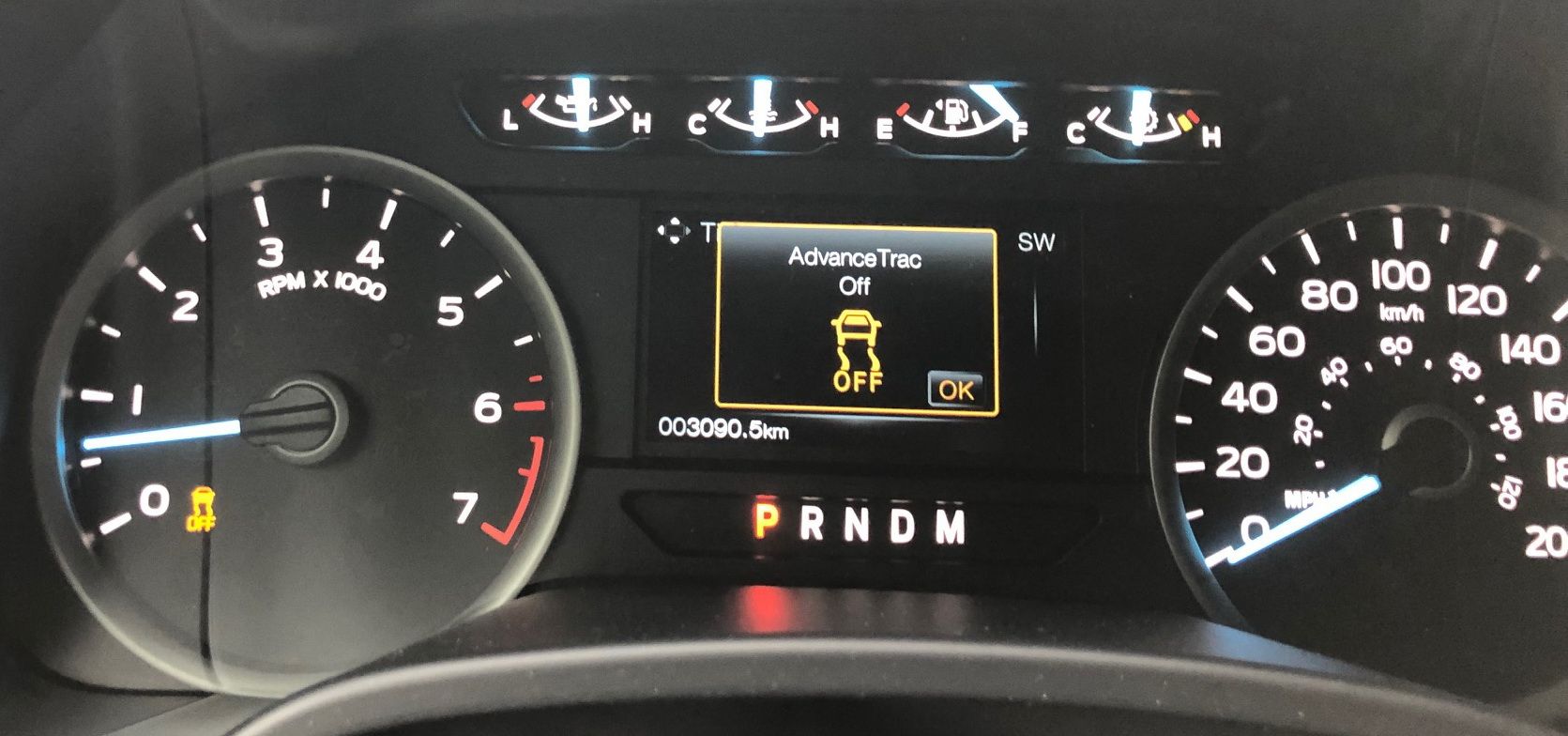
Depressing the button once again, reactivates the complete traction/stability control system.

I must have missed it when I initially tried it. I guess I waited too long with the button depressed and cycled right through it.
Momentary push of the button turns "OFF" the traction control. See the "Traction Control OFF" warning in the main cluster.
Push the button momentarily again and the traction control reactivates or is back "ON".
Push and hold the button in for 5 seconds and the system deactivates totally. See the "Advance Trac OFF" warning in the main cluster.
Depressing the button once again, reactivates the complete traction/stability control system.


Senior Member
Joined: Nov 2017
Posts: 164
Likes: 20
From: Westminster, Colorado

Trending Topics

Senior Member
Joined: Aug 2009
Posts: 5,403
Likes: 2,604
Sport mode lets you get pretty froggy if you want. Certainly enough to put the truck in a sideways drift in a hard corner. It'll blink the light at you, but that's all.
Just keep in mind, short of pulling fuses or maybe making some Forscan changes, there is *no way* to completely disable the TC and AdvanceTrac systems. You can raise the nannies some, and you can disable at slow speed, but portions still kick back in.
Just keep in mind, short of pulling fuses or maybe making some Forscan changes, there is *no way* to completely disable the TC and AdvanceTrac systems. You can raise the nannies some, and you can disable at slow speed, but portions still kick back in.

 I may save that for the sports car.