Silence notifications sync 3 help


Thread Starter
Member
Joined: May 2016
Posts: 33
Likes: 1
 Silence notifications sync 3 help
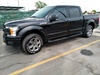
Hey guys, just bought myself a new 150 last week and am loving it! I've been figuring out the infotainment system and all that, but have yet to figure out how to stop the car audio from going soft when I receive a text message or snap chat. I'll be listening to music and every time I get a text or snapchat it lowers the audio for a split second to let me know(which is annoying) and I'd rather turn it off where I don't get that interruption. Anyone know how???


Senior Member


Joined: Jan 2019
Posts: 280
Likes: 71
From: Syracuse, NY
This might not be what you're looking for. But if ring volume on the phone is set to 0 (vibrate or silent) it won't do that. It's not a sync thing but a phone thing so I think that's the only way.

Senior Member
Joined: Sep 2010
Posts: 156
Likes: 7
From: Cincinnati
Hey guys, just bought myself a new 150 last week and am loving it! I've been figuring out the infotainment system and all that, but have yet to figure out how to stop the car audio from going soft when I receive a text message or snap chat. I'll be listening to music and every time I get a text or snapchat it lowers the audio for a split second to let me know(which is annoying) and I'd rather turn it off where I don't get that interruption. Anyone know how???
Hope this helps.
Last edited by Jono6716; Jul 1, 2019 at 03:54 PM.