


Forscan tire size change


 Forscan tire size change
Dumb this down for me.
can I go straight to Program via GPS, enter the Speedo MPH, GPS MPH, and my as built hex value and then get my new value.
OR
do I have to do the program via nominal tire size, update forscan with the new hex, then move on to program using gps using the hex value that was given to me when I put in my new tire size?
can I go straight to Program via GPS, enter the Speedo MPH, GPS MPH, and my as built hex value and then get my new value.
OR
do I have to do the program via nominal tire size, update forscan with the new hex, then move on to program using gps using the hex value that was given to me when I put in my new tire size?


Member

Joined: Oct 2021
Posts: 54
Likes: 23
From: Texas
Not following the specifics of your question, possibly because it’s been a year since I did mine. There are a number of calculators out there that tell you what the value should be for a given tire size. However, my stock value didn’t equate to my stock tire size. Regardless, I tried entering what the alleged correct value was for my new/bigger tire size and it was most definitely off. What ended up working for me for multiplying my stock value by the ratio of my new tire circumference over my old tire circumference. Hope this helps
Not following the specifics of your question, possibly because it’s been a year since I did mine. There are a number of calculators out there that tell you what the value should be for a given tire size. However, my stock value didn’t equate to my stock tire size. Regardless, I tried entering what the alleged correct value was for my new/bigger tire size and it was most definitely off. What ended up working for me for multiplying my stock value by the ratio of my new tire circumference over my old tire circumference. Hope this helps
so not sure if I have to update the tire size using nominal, then fine-tune with GPS using the new hex
or
just use the GPS method using the as built (original hex)

5 Year Member


Joined: Feb 2019
Posts: 730
Likes: 333
You have two options. The first is using the tire size to calculate the tires circumference, which is then converted to hex. This is the value you'd program in. The second option is inputting your CURRENT hex value and speedo readings (which considers the OLD tire circumference since its using the current hex), and input values of your actual GPS speed and it will spit out a new hex value to input. GPS is more accurate as it accounts for actual tires rolling diameter and subsequent circumference to calculate the new hex value. For example, 315/70r17 as a tire size has a generic circumference, but Falken's tire might be smaller than BFG's, so technically youd have two difference circumferences. Basically, the tire size hex generator will get you close, but the GPS will get you closer.


You have two options. The first is using the tire size to calculate the tires circumference, which is then converted to hex. This is the value you'd program in. The second option is inputting your CURRENT hex value and speedo readings (which considers the OLD tire circumference since its using the current hex), and input values of your actual GPS speed and it will spit out a new hex value to input. GPS is more accurate as it accounts for actual tires rolling diameter and subsequent circumference to calculate the new hex value. For example, 315/70r17 as a tire size has a generic circumference, but Falken's tire might be smaller than BFG's, so technically youd have two difference circumferences. Basically, the tire size hex generator will get you close, but the GPS will get you closer.
so I put talller tires on, my truck says 70 and GPS says 73…my as built hex is 099E…so I need to change my value to 0A08 so I don’t have to mess with nominal at all

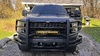
All done.
so yes, install tires, dive and record speed, enter into forscan chart and get new code.
at 75mph, the digital speedo is 75, analog is 75, and Garmin gps bounces from 74.8 to 75.2
ill take it
so yes, install tires, dive and record speed, enter into forscan chart and get new code.
at 75mph, the digital speedo is 75, analog is 75, and Garmin gps bounces from 74.8 to 75.2
ill take it

Trending Topics

Junior Member
Joined: Nov 2024
Posts: 3
Likes: 0
From: New Castle, DE
You have two options. The first is using the tire size to calculate the tires circumference, which is then converted to hex. This is the value you'd program in. The second option is inputting your CURRENT hex value and speedo readings (which considers the OLD tire circumference since its using the current hex), and input values of your actual GPS speed and it will spit out a new hex value to input. GPS is more accurate as it accounts for actual tires rolling diameter and subsequent circumference to calculate the new hex value. For example, 315/70r17 as a tire size has a generic circumference, but Falken's tire might be smaller than BFG's, so technically youd have two difference circumferences. Basically, the tire size hex generator will get you close, but the GPS will get you closer.

Senior Member

Joined: Dec 2009
Posts: 151
Likes: 3

5 Year Member

Joined: Jul 2011
Posts: 237
Likes: 139
This is what I used, but I still had to tweak it a couple of times to get the right reading.
https://docs.google.com/spreadsheets...gid=2133040050
https://docs.google.com/spreadsheets...gid=2133040050