When you click on links to various merchants on this site and make a purchase, this can result in this site earning a commission. Affiliate programs and affiliations include, but are not limited to, the eBay Partner Network.
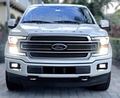
Yeah hey, another new guy. Got my first F150 about 3 weeks ago; new to me 17 XL with the 2.7 with 44k.
I do more browsing than posting, but I'll probably post when I have time.
In case you're wondering, my username is based on my usual choice of trucks the Dodge Dakota. Long story short, the last few months of ownership of that truck cost my greatly in repairs and since I was fed up spending more time under the dodge than driving it; I just traded it in. I nicknamed it the Da <female genital name> er, but I rather not skirt the TOS.
Anyway, end of post. Below is a pic of said f150.
I'm one of them weirdos that prefer the work-truck look over fancy stuff btw.
Brand new to the forum with my 3rd F150.
Just got my 2020 Lariat in rapid Red and was irritated when it auto-locked on the way home. I have not found a way to disable the auto-lock feature after trying several methods I found online. If anyone can help I would surely appreciate it.
Thanks
Rick
Welcome to the Forum. AutoLock should lock all your doors when your truck reaches a speed greater than 12 mph. You should be able to disable the AutoLock feature through the Information Display Controls (Type 1 and 2).
Go to your Settings
Then choose Vehicle and Locks
Enter the submenu and select your setting to disable it



 New member thread #324,191