


F150Forum.com Upgrade


Thread Starter
Senior Member

Joined: Sep 2006
Posts: 2,722
Likes: 42
From: Fairfax, VA
 F150Forum.com Upgrade
Nathan just finished some upgrades to the site and it has added some new features that we hope you'll enjoy. Overall you will notice "social networking" type features that we think can really enhance our community.
New Profiles
This is a work in progress but we have high hopes for it.
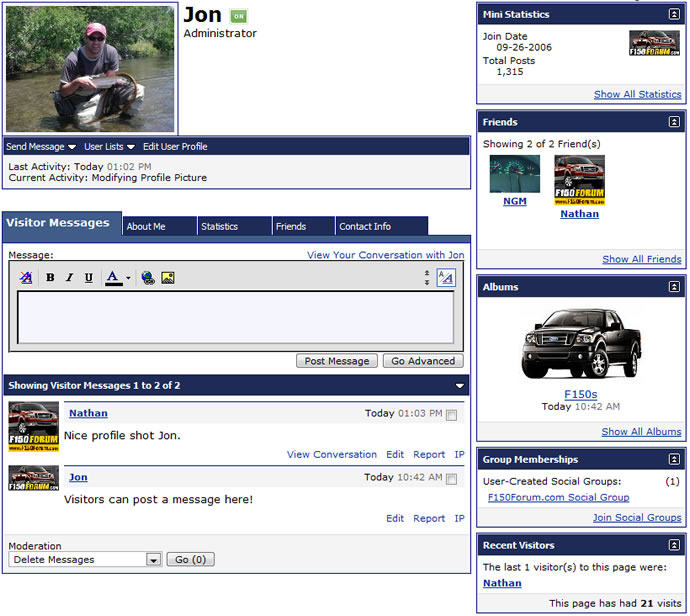
Your profile page has been upgraded and now has the ability to make contacts, upload photos, message people, join groups, and give us info on your truck. This will be slowly built out with more and more features.
The fastest way to get to your profile is to click on your name in the upper right hand corner of the page in the navbar.
New Photo Albums
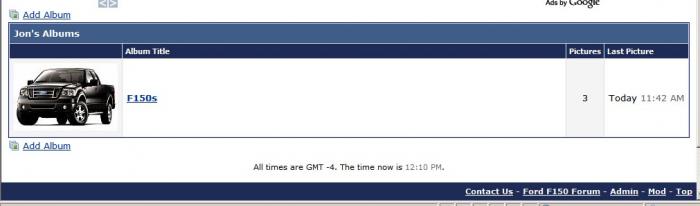
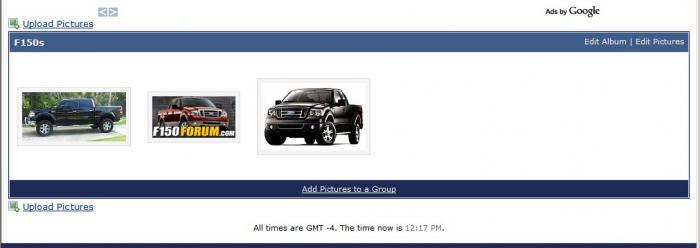
You can now create a photo album that will be attached to your profile. Upload photos of your truck and tell us a little about it. It's pretty easy to upload photos now and you can also use this to attach images to threads. This is a MUCH better solution than our old gallery and it should solve a lot of head aches.
PLEASE NOTE:
The new Albums feature is replacing our old Gallery. Because of this we have turned off the option to upload new photos to the old gallery. You can still edit your old photos and comment on them but all new photos should be uploaded through your profile. Trust us... this is a much better tool.
We have a link to the old gallery in the "Quick Links" drop down menu on the blue navbar. You will also notice a new link to "Photos" for the new solution.
Thanks for understanding!
Social Groups
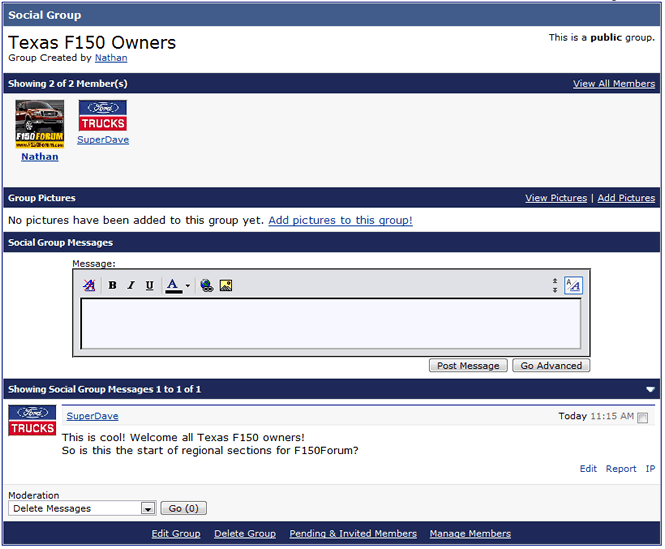
Users can create groups for others to join. You then get a mini board or wall of your own to post to. Nathan and I think this feature could be good for regional meets and things like that. Feel free to create your own groups.
Thread Prefixes
You now have the ability to add prefixes to your thread title. This only works in certain forum topics and we will be adding more and more as we go but for example you can add a For Sale prefix to something you want to sell.

My Truck
You can now list all the details about your truck in your profile. To edit this info go to: https://www.f150forum.com/profile.php?do=editprofile and scroll to the bottom. Once you fill in this data a "My Truck" box will appear in your profile. I think everyone will enjoy this.

More To Come
As always we are working hard to be the best F150 forum out there. Expect more improvements to come.
Thanks for your membership!
New Profiles
This is a work in progress but we have high hopes for it.
Your profile page has been upgraded and now has the ability to make contacts, upload photos, message people, join groups, and give us info on your truck. This will be slowly built out with more and more features.
The fastest way to get to your profile is to click on your name in the upper right hand corner of the page in the navbar.
New Photo Albums
You can now create a photo album that will be attached to your profile. Upload photos of your truck and tell us a little about it. It's pretty easy to upload photos now and you can also use this to attach images to threads. This is a MUCH better solution than our old gallery and it should solve a lot of head aches.
PLEASE NOTE:
The new Albums feature is replacing our old Gallery. Because of this we have turned off the option to upload new photos to the old gallery. You can still edit your old photos and comment on them but all new photos should be uploaded through your profile. Trust us... this is a much better tool.
We have a link to the old gallery in the "Quick Links" drop down menu on the blue navbar. You will also notice a new link to "Photos" for the new solution.
Thanks for understanding!
Social Groups
Users can create groups for others to join. You then get a mini board or wall of your own to post to. Nathan and I think this feature could be good for regional meets and things like that. Feel free to create your own groups.
Thread Prefixes
You now have the ability to add prefixes to your thread title. This only works in certain forum topics and we will be adding more and more as we go but for example you can add a For Sale prefix to something you want to sell.
My Truck
You can now list all the details about your truck in your profile. To edit this info go to: https://www.f150forum.com/profile.php?do=editprofile and scroll to the bottom. Once you fill in this data a "My Truck" box will appear in your profile. I think everyone will enjoy this.
More To Come
As always we are working hard to be the best F150 forum out there. Expect more improvements to come.
Thanks for your membership!

Senior Member
Joined: Sep 2006
Posts: 697
Likes: 5
From: Austin

I'm pretty excited about this upgrade. When you guys get a chance please update your profiles buy adding a Profile Picture (they can be fairly large in size) and adding info about your truck. To add your truck info go to: https://www.f150forum.com/profile.php?do=editprofile and scroll to the bottom. Once you fill in this data a "My Truck" box will appear in your profile.
BTW, I'm always open to suggestions. If you would like additional fields added to the My Truck box or anything else please let me know.
Thanks
BTW, I'm always open to suggestions. If you would like additional fields added to the My Truck box or anything else please let me know.
Thanks


Thread Starter
Senior Member
Joined: Sep 2006
Posts: 2,722
Likes: 42
From: Fairfax, VA
If you look up at your username in the upper right corner (where is says "Welcome, Jon"), it will be a link to your profile page. I found this the easiest way to get into my profile page.
