


FORScan help


Thread Starter
Junior Member
Joined: Sep 2025
Posts: 2
Likes: 0
 FORScan help
I have a couple of questions pertaining to programming Using the FORScan software.
1. I programmed the “enable climate bar on bottom of SYNC screen” and it worked fine. I forgot to take a snapshot of my original and I want to change it back to my original programming. Can someone provide the original values for the xxx*?
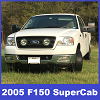
2. I want the 3 front grill amber marker lights to stay on with my DRL’s and also come on when my headlights are on at night. Can anyone provide guidance on what programming needs to be done to accomplish this?
TYIA!!
1. I programmed the “enable climate bar on bottom of SYNC screen” and it worked fine. I forgot to take a snapshot of my original and I want to change it back to my original programming. Can someone provide the original values for the xxx*?
2. I want the 3 front grill amber marker lights to stay on with my DRL’s and also come on when my headlights are on at night. Can anyone provide guidance on what programming needs to be done to accomplish this?
TYIA!!

Senior Member


Joined: Oct 2010
Posts: 2,723
Likes: 717
From: Crossville TN
I have a couple of questions pertaining to programming Using the FORScan software.
1. I programmed the “enable climate bar on bottom of SYNC screen” and it worked fine. I forgot to take a snapshot of my original and I want to change it back to my original programming. Can someone provide the original values for the xxx*?
2. I want the 3 front grill amber marker lights to stay on with my DRL’s and also come on when my headlights are on at night. Can anyone provide guidance on what programming needs to be done to accomplish this?
TYIA!!
1. I programmed the “enable climate bar on bottom of SYNC screen” and it worked fine. I forgot to take a snapshot of my original and I want to change it back to my original programming. Can someone provide the original values for the xxx*?
2. I want the 3 front grill amber marker lights to stay on with my DRL’s and also come on when my headlights are on at night. Can anyone provide guidance on what programming needs to be done to accomplish this?
TYIA!!

Thread Starter
Junior Member
Joined: Sep 2025
Posts: 2
Likes: 0

Welcome to the forum. There is a website you can go to to get your original As Built data for each module. Forscan Sticky is the thread to look at to find out the information on it. "Search As Built Data". Go to the first post and most of the information for your second question should be answered there.
Senior Member

Joined: Mar 2022
Posts: 727
Likes: 706
From: central Texas
But please note, what you get from that link is not necessarily the "original" data for each module / address.
With the passage of a relatively short period of time the data at that link is automatically updated to reflect your current data, including any dealer updates, OTA updates, and yes, even changes made yourself using FORScan or FDRS.
I've observed my own FORScan changes reflected on that website database in less than 24 hours after making changes in some cases, never more than ~72 hours to reflect updates I've made.
Once edits are recorded in that database there is no way for you or the dealer to recover any previous configuration data - it's been overwritten in perpetuity (or until overwritten again by a subsequent change).
To assuredly preserve historic configurations you must
- Download / copy / archive the files from that webpage before any changes are implemented; and / or,
- Rigorously adhere to the guidance in the tutorial linked in this post and backup / archive module files using FORScan before making any changes
Last edited by fiver; Sep 20, 2025 at 12:09 PM.
