


Installing a backup Camera


Senior Member
Joined: Jun 2013
Posts: 249
Likes: 28
From: America

There where two light blue wires with a white tracer on it. 50/50 chance that I would tap the correct one, needless to say, I got it correct on the first shot. I too have a 2012.

Senior Member
Joined: Apr 2013
Posts: 281
Likes: 5
I tried to install mine a different way tonight and lets just say it didnt work..
Anyways, what hole did you plug the video cable into in the back of the head unit? there is about 3 or 4 different yellow holes. Also did you have to change any settings on the head unit?
Anyways, what hole did you plug the video cable into in the back of the head unit? there is about 3 or 4 different yellow holes. Also did you have to change any settings on the head unit?
Senior Member
Joined: Aug 2013
Posts: 862
Likes: 85
From: California
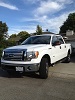
I have a boat and some snowmobiles and I often have to hook them up alone so having a backup camera was a must. Since I already had a head unit in the AVH-3200 that could accept a backup camera, the rest was pretty simple. I bought the BOYO Vision VTK-350 which was a suggested accessory to my head unit. Next I had to decide where I wanted to install it. I didn't want to hang it from the licence plate so I looked for somewhere I could make it look natural. I decided to install it opposite the access hole for the crank to lower the spare tire. I would add a rubber grommet to mimic the size and look. (The stems you see on each side of the licence plate are for my airbags). This is basically what I needed to do the job: -A good metal hole drill to go through the bumper -A roll of "bell" wire -25 feet of video cable -A rubber grommet -The camera itself The plan for my connections was to pick up the power from the headunit and pick up the reverse trigger at the plug behind the drivers side kick panel. First thing I did was remove the radio surround and connect my video cable to the back of the head unit and hook up to the power. I removed the panel under the steering column and the kick panel to make it easier to run the wires. The next picture shows the power wire and video wire running down from under the dash. I then hooked up the reverse trigger wire (this should be labeled on your harness) to the black wire with pink stripe on the back of the large plug (I believe it's #13) behind the kick plate. You need to unscrew the bolt in the middle. This will disconnect the plug and you'll see the correct wire when you spin it around. i just pushed the stripped part of my trigger wire into it. I then ran the power and video cable down the channel along the doors and through a rubber grommet at the end of the channel. (picture only shows the video cable) The rest was pretty simple. I ran the wire and cable to the back of the truck, drilled my hole for the camera and mounted it, made the connections to the camera, grounded the unit to a bolt on my bumper and then glued the rubber grommet to give it a finished look. I also encased the wires in plastic wire tubing so it wouldn't show too bad in the wheel well. Here's how it looks on the screen: I'm pretty impressed with the picture even at night. The only problem I have is the glare from the license plate light that shines a little on the camera, but I can deal with it. I'm still happy I didn't dangle it from the plate. I was able to angle the camera to see my hitch which will be at the bottom right of the screen when it's on the truck. (Good thing since that's why I installed the camera to begin with). I practiced a little with it and it works well. This install was on an 07 scab, but I'm sure it will help with a lot of different years and models. 
But exactly HOW did you hook up video cable and power? Did they just plug right in the back of the head unit? This is the only part of the install i still don't understand. If you could describe that would be very helpful to me and i can then try this mod....thanks a lot.
Senior Member
Joined: Jun 2013
Posts: 249
Likes: 28
From: America

Senior Member
Joined: Apr 2013
Posts: 281
Likes: 5
Hmm. I have a different head unit than you it looks like. This is the one I have and you can tell by the pictures theirs 3 different cable ports.
http://www.pioneerelectronics.com/PU...s/AVH-P3200DVD
http://www.pioneerelectronics.com/PU...s/AVH-P3200DVD
Senior Member
Joined: Aug 2013
Posts: 862
Likes: 85
From: California
Hmm. I have a different head unit than you it looks like. This is the one I have and you can tell by the pictures theirs 3 different cable ports. www.pioneerelectronics.com/PUSA/Car/DVD-Receivers/AVH-P3200DVD


Senior Member
Joined: Jun 2013
Posts: 249
Likes: 28
From: America
Ok so I have mine working now for the past couple weeks and everything seems to be fine. what I wanted to know is whether I needed to tap into the reverse wore since my head unit has a plug for that already. I guess what is saying is I have it plugged in to the HU and tapped into the reverse wire under the door sil cover. Is that necessary?
Senior Member
Joined: Apr 2013
Posts: 281
Likes: 5
Still no luck on my install. I have the yellow cable plugged into the RC IN. The red power plugged up to my led lights under my dash for right now. And the black wire grounded to the frame. I stink can't get it to work.