


Viper door trigger HELP

Member
Joined: Apr 2010
Posts: 51
Likes: 0
From: Minnesota

You are right on..
The 4 additional diodes would be a PITA to install in that small space.
Most people don't install the starter kill because if for some reason your alarm goes haywire and won't disarm, you'll still be able to start and drive it.
The 4 additional diodes would be a PITA to install in that small space.
Most people don't install the starter kill because if for some reason your alarm goes haywire and won't disarm, you'll still be able to start and drive it.

Member
Joined: Feb 2008
Posts: 75
Likes: 0
From: Central Illinois
Did you have to add wire to the Viper to make all the runs, or is the wire on the viper long enough? Where did you "mount" your brain?
Again, thanks for baby stepping me through this - I do appreciate it!!!!

Thread Starter
Ford Tech
Joined: Apr 2010
Posts: 27
Likes: 1
From: Florida
JMORISEY.......
I have spent several days getting my alarm to work as it is supposed to and I suspect some people here did not do the work themselves.
First...What are you installing this in?
I had a lot of trouble figuring out the door ajar switch,diode set up but I can tell you now it is easy. Four diodes in line to each wire at the SJB to H1/6 and BINGO. When a door is open the system sees power and sets off the alarm. Most of the wiring pictures on this sight are very helpful to see the correct wires. You dont have to complete it in one day either. I hooked up alot of the wiring and stuffed it up there until I had more time, just hook up the actual arlarm when you are ready. Nothing in the wiring hookup stops the truck from running. Good luck and Any help ......I HAVE ACTUALLY INSTALLED THIS UNIT MYSELF.
I have spent several days getting my alarm to work as it is supposed to and I suspect some people here did not do the work themselves.
First...What are you installing this in?
I had a lot of trouble figuring out the door ajar switch,diode set up but I can tell you now it is easy. Four diodes in line to each wire at the SJB to H1/6 and BINGO. When a door is open the system sees power and sets off the alarm. Most of the wiring pictures on this sight are very helpful to see the correct wires. You dont have to complete it in one day either. I hooked up alot of the wiring and stuffed it up there until I had more time, just hook up the actual arlarm when you are ready. Nothing in the wiring hookup stops the truck from running. Good luck and Any help ......I HAVE ACTUALLY INSTALLED THIS UNIT MYSELF.
Member
Joined: Feb 2008
Posts: 75
Likes: 0
From: Central Illinois
I have spent several days getting my alarm to work as it is supposed to and I suspect some people here did not do the work themselves.
First...What are you installing this in?
I had a lot of trouble figuring out the door ajar switch,diode set up but I can tell you now it is easy. Four diodes in line to each wire at the SJB to H1/6 and BINGO. When a door is open the system sees power and sets off the alarm. Most of the wiring pictures on this sight are very helpful to see the correct wires. You dont have to complete it in one day either. I hooked up alot of the wiring and stuffed it up there until I had more time, just hook up the actual arlarm when you are ready. Nothing in the wiring hookup stops the truck from running. Good luck and Any help ......I HAVE ACTUALLY INSTALLED THIS UNIT MYSELF.
Hey Techman, I have a 2010 F150 XLT SCREW. From reading all of this, it appears that it is going to be a little easier now, maybe. I was in the impression that I was going to have to cut every wire and then hook up diffent ends of the cut wire to a separate wire on the alarm. After further reading, I see that I just need to shave the wires and tap into them.
So, my flooding of questions for you:
· Did you have to "CUT" any of the wires?
· Why did you have to use H1/6 instead of H1/8?
· Was your hookup/wiring the same as MNFX4 posted?
· What additional wires did you use on your 5901
· Where did you mount your "Brain"
· Did you run a new power cable from the battery?
· How did you make it through the firewall?
MNFX4, I know you answered some of the above questions... I am not second guessing you, it is always nice to have as much information from as many people as possible!!!
Thanks, both of you!
Jon
Member
Joined: Apr 2010
Posts: 51
Likes: 0
From: Minnesota
Jon
Think of the viper as just adding a layer on top of the already existing alarm built into the truck. Your just bypassing the trucks alarm and piggybacking on the existing hardware, such as lock and horns.
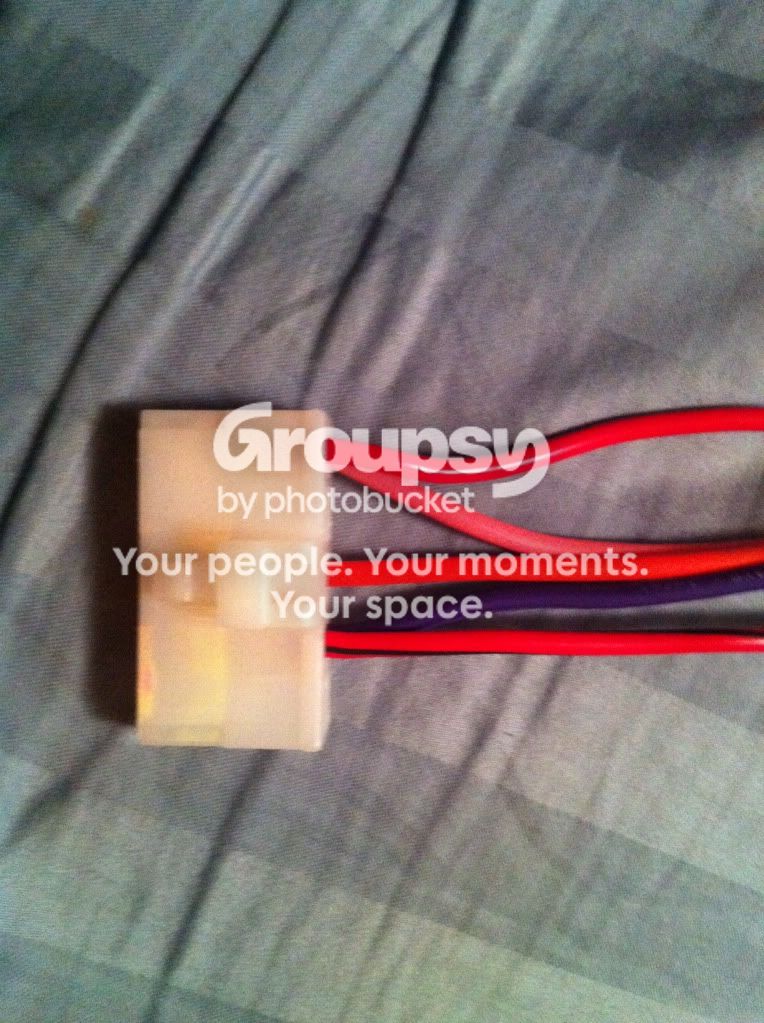
Here is a picture of a splice into the PATS wires. A little hard to see.

I slid shrink-wrap over the wires after they were soldered, you can see the shrink-wrap at the top of the wires
Another tip on the H3 harness you can just pull out the wires you don't need like so.
Think of the viper as just adding a layer on top of the already existing alarm built into the truck. Your just bypassing the trucks alarm and piggybacking on the existing hardware, such as lock and horns.
Here is a picture of a splice into the PATS wires. A little hard to see.
I slid shrink-wrap over the wires after they were soldered, you can see the shrink-wrap at the top of the wires
Another tip on the H3 harness you can just pull out the wires you don't need like so.
Last edited by MNFX4; Jan 19, 2011 at 05:01 PM.
Thread Starter
Ford Tech
Joined: Apr 2010
Posts: 27
Likes: 1
From: Florida

JMORISEY
So, my flooding of questions for you:
· Did you have to "CUT" any of the wires?
· Why did you have to use H1/6 instead of H1/8?
· Was your hookup/wiring the same as MNFX4 posted?
· What additional wires did you use on your 5901
· Where did you mount your "Brain"
· Did you run a new power cable from the battery?
· How did you make it through the firewall?
1. I did cut some wires when I installed the window module, and I installed a relay into my headlight circuit so when I remote start with auto headlamps they do no come on until I insert the ignition key. That keeps the neighbors house from lighting up when I remote start.
2. H1/6 looks for 12v to trigger door ajar. H1/8 looks for ground. Our system shows 12volts when a door is open. Hook into the four door wires at the SJB with four diodes (radio shack 400PIV) with the silver part facing the alarm wire.
3. Similar to MNFX4, I hooked H3/6 and H3/9 to pin1 C211 @ drivers kick panel, the red wire. H3/1 to wh/og wire pin 1 @ ign switch. H1/2 to pin 9 vt-rd wire @ ign switch. My lock/unlock wires I came off from the drivers kick panel where the wires come from the front door. I also tapped H1/11 into the parking light circuit there vt-wh wire. Three bolts hold in the E-Brake assembly so just swing that out of the way.
4. H2/16 went to rt kick panel c215 pin 4 wh-og wire which turns on the window and mirror defrosters.
5. The brain is mounted under the dash on the left side. I removed the steering colum cover and lower knee panel, drivers and passenger kick panels and the two side panels on dash when you open the doors, they just pull out. I assembled all the wires hanging out the knee kick panel before ever plugging in the brain.
6. No new power cable.
7. Firewall is easy. Take the tape off from the outside on the large rubber piece coming thru the firewall, run you wires and tape it back up.
Good luck and remember it does not have to be done in a day, write every connection down and if you do not finish in a day tuck it under the dash and start again later, nothing pervents your truck from working while you install the alarm.
So, my flooding of questions for you:
· Did you have to "CUT" any of the wires?
· Why did you have to use H1/6 instead of H1/8?
· Was your hookup/wiring the same as MNFX4 posted?
· What additional wires did you use on your 5901
· Where did you mount your "Brain"
· Did you run a new power cable from the battery?
· How did you make it through the firewall?
1. I did cut some wires when I installed the window module, and I installed a relay into my headlight circuit so when I remote start with auto headlamps they do no come on until I insert the ignition key. That keeps the neighbors house from lighting up when I remote start.
2. H1/6 looks for 12v to trigger door ajar. H1/8 looks for ground. Our system shows 12volts when a door is open. Hook into the four door wires at the SJB with four diodes (radio shack 400PIV) with the silver part facing the alarm wire.
3. Similar to MNFX4, I hooked H3/6 and H3/9 to pin1 C211 @ drivers kick panel, the red wire. H3/1 to wh/og wire pin 1 @ ign switch. H1/2 to pin 9 vt-rd wire @ ign switch. My lock/unlock wires I came off from the drivers kick panel where the wires come from the front door. I also tapped H1/11 into the parking light circuit there vt-wh wire. Three bolts hold in the E-Brake assembly so just swing that out of the way.
4. H2/16 went to rt kick panel c215 pin 4 wh-og wire which turns on the window and mirror defrosters.
5. The brain is mounted under the dash on the left side. I removed the steering colum cover and lower knee panel, drivers and passenger kick panels and the two side panels on dash when you open the doors, they just pull out. I assembled all the wires hanging out the knee kick panel before ever plugging in the brain.
6. No new power cable.
7. Firewall is easy. Take the tape off from the outside on the large rubber piece coming thru the firewall, run you wires and tape it back up.
Good luck and remember it does not have to be done in a day, write every connection down and if you do not finish in a day tuck it under the dash and start again later, nothing pervents your truck from working while you install the alarm.
Member
Joined: Feb 2008
Posts: 75
Likes: 0
From: Central Illinois
Thanks guys for helping me out so much!!!
Of course I came bearing more questions... I am affraid of frying my door switch like HomeyHD said he did. I am reading that the "BLUE" wire from the 3pin Door Lock Harness should go to the PUR/GRY wire at the SJB and the GREEN wire from the 3pin Door Lock Harness should go to the GRY/YEL wire at the SJB... is this the way you guys did it, or am I backwards?
Also, as for the defroster...
Almost there guys - thne I will leave you alone until I find another project!
Thanks-
Jon
Of course I came bearing more questions... I am affraid of frying my door switch like HomeyHD said he did. I am reading that the "BLUE" wire from the 3pin Door Lock Harness should go to the PUR/GRY wire at the SJB and the GREEN wire from the 3pin Door Lock Harness should go to the GRY/YEL wire at the SJB... is this the way you guys did it, or am I backwards?
Also, as for the defroster...
TECHMAN, you said that you hooked up H2/16 to the WHT/ORG wire at SJB, but I don't see "H2/16" in the install manual.
MNFX4, you said you used H2/6 for the defroster - this is listed as (-) 200mA 2nd UNLOCK OUTPUT
According to the install manual that I have, the defroster is in the the 5pin connector, pin 5, BLU/WHT. I would think that this wire would be use... but not sure where it would have gone. (MNFX4 said behind radio, TECHMAN says WHT/ORG at kick panel.MNFX4, you said you used H2/6 for the defroster - this is listed as (-) 200mA 2nd UNLOCK OUTPUT
Almost there guys - thne I will leave you alone until I find another project!
Thanks-
Jon
Thread Starter
Ford Tech
Joined: Apr 2010
Posts: 27
Likes: 1
From: Florida
Thanks guys for helping me out so much!!!
Of course I came bearing more questions... I am affraid of frying my door switch like HomeyHD said he did. I am reading that the "BLUE" wire from the 3pin Door Lock Harness should go to the PUR/GRY wire at the SJB and the GREEN wire from the 3pin Door Lock Harness should go to the GRY/YEL wire at the SJB... is this the way you guys did it, or am I backwards?
Also, as for the defroster...
Almost there guys - thne I will leave you alone until I find another project!
Thanks-
Jon
Of course I came bearing more questions... I am affraid of frying my door switch like HomeyHD said he did. I am reading that the "BLUE" wire from the 3pin Door Lock Harness should go to the PUR/GRY wire at the SJB and the GREEN wire from the 3pin Door Lock Harness should go to the GRY/YEL wire at the SJB... is this the way you guys did it, or am I backwards?
Also, as for the defroster...
TECHMAN, you said that you hooked up H2/16 to the WHT/ORG wire at SJB, but I don't see "H2/16" in the install manual.
MNFX4, you said you used H2/6 for the defroster - this is listed as (-) 200mA 2nd UNLOCK OUTPUT
According to the install manual that I have, the defroster is in the the 5pin connector, pin 5, BLU/WHT. I would think that this wire would be use... but not sure where it would have gone. (MNFX4 said behind radio, TECHMAN says WHT/ORG at kick panel.MNFX4, you said you used H2/6 for the defroster - this is listed as (-) 200mA 2nd UNLOCK OUTPUT
Almost there guys - thne I will leave you alone until I find another project!
Thanks-
Jon
I used the drivers kick panel (after removing the E-Brake assembly) and connected the lock/unlock wires to the VT-GY and the GY-YE wires. Do not worry nothing will fry if you hook the up backwards, you will simply reverse them.
The manual varies slightly from the actual unit, questions will be answer when you buy it. The defroster wire is located easiest at the passenger kick panel WH-OG wire. Buy the unit. Begin the project.
I also purchased the bitwriter because I enjoy the easy programing of the unit other than horn honks and door opens crap.
Take your time.