MyKey issue


Thread Starter
Junior Member
Joined: Mar 2023
Posts: 6
Likes: 8
 MyKey issue
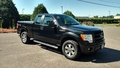
Hey gang. New to this forum.I just bought a 2013 F150 XLT. Super clean! 5.0 ,4X4 ,XLT Supercrew. .. I have always owned F150's ,and just sold my 02 Lariat FX4 with 289000 trouble free miles. Owned it for 19 years ,best truck I have ever owned.Upgraded to something newer to to tow my bass boat and car hauler trailer. Being a older guy and not to tech savvy, I am getting familiar with some of the stuff I am not used to. I got 2 sets of keys with the new truck.I tested my ''spare'' key and found out it is programmed to MyKey. 80mph speed limiter,and a super annoying beeping in reverse!!! I followed instructions to Settings>MyKey>Cancel MyKey. When I do this with the programmed key, it just says 'Admin Key" with no option to deprogram or cancel. Any feedback would be greatly appreciated! For now ,I dont use that damn key!!

5 Year Member


Joined: Dec 2015
Posts: 1,824
Likes: 397
From: Brantford Ontario
Just going from memory here/; I think you need 2 original keys to program or delete a my-key ...For reference the instructions are in in your owners manuel !!
Search is also your friend.....
Search is also your friend.....
Thread Starter
Junior Member
Joined: Mar 2023
Posts: 6
Likes: 8
Thanks for the reply. The sticky went waaaay over my head lol. I tried a search also, but couldnt get an answer there. The Manual instructions were followed ,but wont work on the "Admin" key. They are both original keys, but apparently one of them was cleared? Anyway ,I just wont use that programmed key except in emergency,until I can work this out.

Senior Member

Joined: Jul 2015
Posts: 10,934
Likes: 2,457
From: Minneapolis
I think that means you are supposed to insert the Admin key. Have you looked in the manual to see how to clear mykey settings? It's in there. Should only need one admin key to do that. You need 2 for other programming, so that is still an issue.
Thread Starter
Junior Member
Joined: Mar 2023
Posts: 6
Likes: 8
Thanks for the reply. When the 'cleared key' is inserted ,the clear MyKey in the menu shows up...nothing when the programmed key is in. Thanks again, I will go back to the manual, and see what I am doing wrong. Maybe I need both keys in the vehicle to clear the one.
 Appreciate the responses and really like this forum.